Split Bill is a straightforward tool for managing shared expenses that puts clarity and control in the hands of groups, roommates and colleagues. Split Bill helps you record who paid, track shared costs across events or households, attach receipts and notes, and keep an accessible transaction history so everyone can see the same numbers without manual arithmetic.
Key features and everyday use
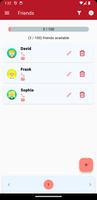
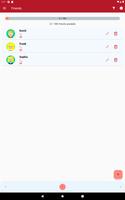
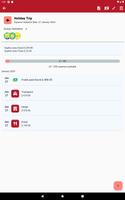
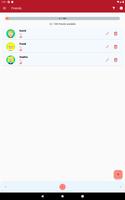
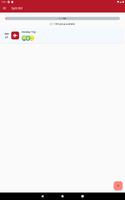
The app supports a personalized friends list and the ability to create multiple groups for trips, projects, events or living situations, so expenses stay organized and context-specific. Adding an expense is quick: select the payer, enter the amount, add a short description or receipt photo and assign the expense to the relevant group. The built-in Settle Up function calculates net balances and presents straightforward suggestions for settling debts, while multi-currency handling and a searchable transaction log make Split Bill suitable for both local outings and international travel.
How it works: controls and mechanics
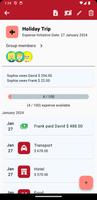
Split Bill uses a simple tap-driven interface designed for fast entry and review. Primary controls let you add expenses, edit participants and attach receipts with a few taps; swipe or long-press gestures in the activity list provide fast access to edit or remove entries. When recording a cost you choose who paid and who benefited, and the app computes each person’s share using the selected split method. Changes are reflected immediately in the group balance so you can see how a new expense affects what everyone owes.
Progression, settlement and history
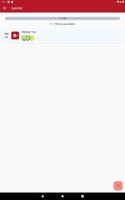
Rather than levels or points, progression in Split Bill comes from reducing outstanding balances and clearing debts across events over time. Each group keeps a running ledger so you can follow how balances evolve from the first dinner to the last day of a trip. The transaction history preserves context for every entry—date, payer, recipients and attached receipts—so reconciliation is straightforward. When it’s time to settle, the app summarizes who needs to pay whom and records settlements so the ledger stays accurate for future planning.
Visual style, customization and accessibility
The interface emphasizes legibility and efficiency, with a clean layout that highlights totals and recent activity. Users can adjust visual preferences such as dark mode and text sizes to match their viewing needs, and groups can be named to match real-world contexts so it’s easy to switch between household expenses, weekend trips and team projects. Accessibility features are included to support screen readers and larger text settings, making the app usable for a broad range of people.
Offline use, backups and data safety
Split Bill allows you to enter expenses even when you are offline, storing entries locally until you are ready to back up or transfer data to a new device. Backup and restore options help protect your records in case you change phones or need to recover data; these tools are intended to give peace of mind when managing long-running groups and multi-event histories. The app treats transaction records as primary data and provides clear export and restore choices so you control how your information is preserved.
Payment integrations and regional considerations
Where supported, Split Bill can link to common payment methods to accelerate settlements, but availability depends on regional services and third-party providers. Because integration options vary, some users will find direct in-app payment workflows convenient while others may prefer to use external payment apps after consulting the app’s suggested settlement amounts. The app makes it easy to record an external payment so the group ledger stays up to date regardless of the payment channel used.
Limitations and practical tips
Automated settlement works best when most participants record transactions in the app, so encourage group members to join for the smoothest experience. Manual reconciliation may occasionally be needed when participants disagree on recorded items or when payment integrations are unavailable in a region. For complex events consider creating a dedicated group per trip or project to keep unrelated expenses separate and simplify the review and settlement process.
Why it fits daily life
Split Bill aims to reduce the friction of shared finances by combining clear recording tools, an easy-to-read ledger and flexible group management. It is suitable for roommates dividing rent and utilities, friends calculating dinner shares on a trip, or small teams tracking joint purchases for a project. The result is fewer disputes, less time spent calculating and a reliable record that people can reference when planning future shared activities.