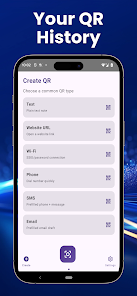
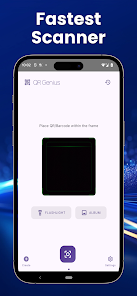
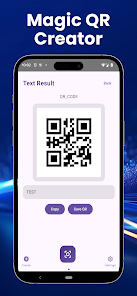
QR Genius is a fast, no-nonsense QR and barcode utility that helps you scan codes quickly and reliably on your Android device. QR Genius is designed for everyday use: it reads QR codes and common barcode formats in real time with an intuitive focus frame, decodes codes from photos in your gallery, and offers built-in flashlight support for low-light situations. The app emphasizes a clean, minimal interface and on-device processing so scans feel immediate and private, making QR Genius a practical tool for opening links, checking product information, or capturing event details without extra clutter.
Key features and scanning behavior
The core scanning experience centers on a reactive focus frame that highlights detected codes as you point the camera. Real-time scanning uses the device camera to detect and decode multiple common barcode types; when a code is recognized you can tap to open a link, copy the decoded text to the clipboard, or share results with other apps using Android intents. QR Genius also supports decoding images imported from your photo gallery, so you can process screenshots or saved photos without rescanning them live. For dim environments, a flashlight toggle improves detection, and simple vibration or sound feedback confirms successful reads so you get immediate, tactile confirmation of captures.
Controls, interface and customization
The interface is intentionally minimal to keep common actions fast and unambiguous. Controls focus on essential gestures and buttons: point and hold to stabilize, tap the result to access actions, and use a single on-screen button to switch the flashlight. Settings let you adjust feedback options, such as enabling vibration or sound on scan, selecting default open behavior for URLs, and choosing whether decoded text is automatically copied to the clipboard. While the app forgoes deep, complex menus, these lightweight customization options let you tailor the scanner to routine tasks without clutter.
Privacy, offline use and data handling
QR Genius processes codes locally on your device rather than sending data to remote servers, which reduces exposure of scanned content and allows the app to function fully offline. This on-device design means QR Genius will continue to decode images and live scans without an internet connection, and it keeps your scan data under your control. The app can optionally store recent scans locally for quick access and to help you revisit past results; because syncing to cloud services is not part of the core design, cross-device history and automatic backups are not available unless you export data manually.
Accessibility, reliability and device compatibility
The scanner aims to be accessible across a wide range of Android devices. Visual elements such as a clear focus frame and high-contrast icons help visibility, while the flashlight, audible tone, and vibration feedback provide alternatives for different usage contexts. Performance is optimized for responsive scanning on mid-range and newer hardware, but the app retains basic functionality on older devices using software-assisted decoding. Users with limited dexterity will find the simplified controls helpful: one-handed operation is possible and the primary actions require only taps rather than complex gestures.
Use cases, workflow and replay value
QR Genius is useful across common daily workflows: quickly opening web links from printed materials, checking product barcodes while shopping, importing ticket or event codes from screenshots, and sharing contact or Wi-Fi details captured from QR images. Because the app is focused on speed and reliability rather than novelty, its replay value arises from repeated practical utility rather than gamified elements. You can integrate QR Genius into routine tasks by setting preferred behaviors for scanned results, using the app to collect multiple codes in one session, or exporting scans to other productivity apps for further processing.
Limitations and intended audience
QR Genius intentionally prioritizes simplicity and privacy, so it is not a substitute for full-featured inventory, asset management, or document scanning suites. Power users who need advanced batch processing, cloud synchronization, or extensive customization may find the app limited compared with enterprise tools. However, for everyday users who want a fast, dependable scanner with on-device processing and a distraction-free interface, QR Genius provides a practical balance of speed, privacy, and reliability.