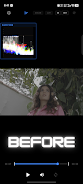
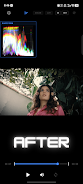
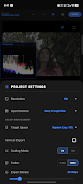
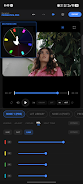
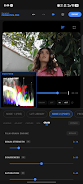
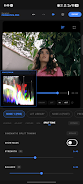
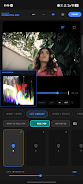
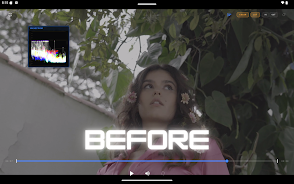
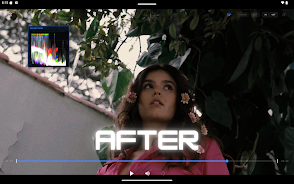
Prismatica Pro brings desktop-class color grading to your phone, giving mobile filmmakers, colorists, and videographers an on-location toolset that mirrors workstation workflows while remaining touch-friendly. The app combines a native C++ grading engine with a color-managed pipeline so you can monitor with broadcast-accurate scopes, build looks with node-based control and process 4K 60FPS footage in real time on supported hardware. Prismatica Pro is designed for users who need precise control over image tone, skin rendition and final deliverables without moving media off set.
Core features and visual controls
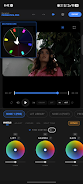
Prismatica Pro implements a professional primary toolset—Lift, Gamma, Gain and Offset—paired with a filmic luminance engine that soft-clips highlights and preserves shadow detail. The app supports common camera log formats and a DaVinci Wide Gamut/Intermediate-style pipeline before transforming to Rec.709, while offering compatibility with ACES and HLG/PQ HDR10 workflows. You get mathematically calibrated scopes: a vectorscope with a skin-tone indicator, a luma waveform for exposure verification and programmable overlays for side-by-side comparison. Split-toning with a Luma Pivot and a Skin Protect option help retain natural skin tones while applying color accents, and an organic 35mm procedural grain engine reacts to image luminance with controls for saturation and coarseness.
Workflow, controls and project structure
The interface centers on a node-style grading stack plus a non-destructive timeline of adjustments so every change is reversible and easy to iterate. Nodes function like modular levels in a project: add a primary node to correct exposure, insert a secondary node for selective color work, then stack a final look node for filmic conversion or export preparation. Controls are optimized for touch with precise color wheels, numeric sliders and intuitive pinch-and-drag gestures for quick exposure or saturation changes. Real-time preview with scope overlays keeps playback smooth during creative decisions, and a clear, labeled layout reduces friction when moving from quick corrections to fine-grain color shaping.
Presets, LUT management and progression
Prismatica Pro supports .cube LUT import so you can match film stocks or camera profiles, store LUTs in named collections and recall them quickly across projects. The preset manager stores grading node presets and lets you apply a base grade consistently before fine-tuning locally; this provides a natural progression path for users learning the app—start with presets, then adjust primaries, move to selective nodes and finally refine with grain and split-toning. Organizing presets into libraries increases replay value for recurring shoots and multi-camera jobs, while the ability to export and share LUT collections makes it straightforward to maintain a consistent visual language across a team or a series of social uploads.
Performance, compatibility and offline capability
Under the hood a native C++ engine with OpenGL ES 3.1 optimizations delivers battery-conscious playback and editing, though full real-time performance requires a modern device with the appropriate GPU support. On compatible hardware you can grade and review 4K 60FPS footage with minimal lag, verify exposure and skin tones with broadcast-standard scopes and produce efficient exports. The app works offline for grading and export after installation, enabling on-set corrections without an internet connection. The freemium model lets you explore tools and create preview exports, while a one-time in-app purchase removes watermarks and unlocks lifetime export capability without a subscription.
Accessibility, challenge handling and typical use cases
Prismatica Pro balances advanced controls with approachable labels and a stepwise node stack so new users can learn the order of operations while experienced colorists access exacting controls and a deterministic pipeline. Accessibility features include clear numeric readouts, large touch targets and performance settings to extend battery life during long sessions. The app is purpose-built to handle common grading challenges: mixed lighting, preserving skin tone under heavy color shifts, and maintaining highlight detail on high dynamic range footage. Typical workflows include prepping rushes for editorial, producing consistent social deliverables, building LUTs for multi-camera shoots and iterating looks on location for shorts or event coverage. For creators who rely on repeatable results, Prismatica Pro provides the scopes, node-based structure and export reliability needed to keep projects consistent and reproducible across sessions.