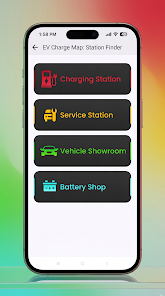
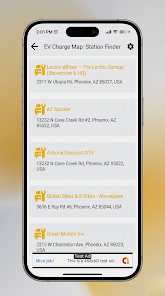
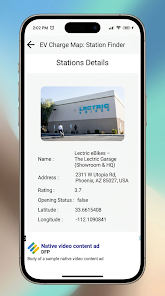
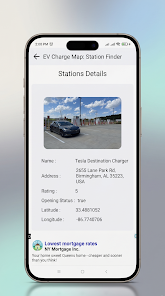
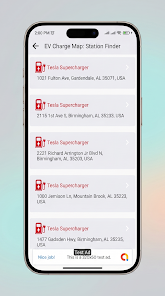
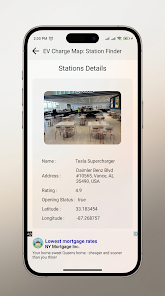
EV Charge Map: Station Finder is a navigation utility designed for electric vehicle drivers who need a quick, practical way to find chargers, service centers, showrooms and battery shops while on the move. The app places nearby charging points on an interactive map and surfaces station details such as full address, user ratings, opening status and precise coordinates so drivers can plan stops with greater confidence. This description explains how EV Charge Map: Station Finder organizes data, how the interface works, and what to expect in day-to-day use.
Core features and map interaction
The heart of the app is the interactive map, which displays charging locations and related EV services as distinct map markers and layers. You can pan and zoom to inspect different parts of a city, and tap a marker to open a detailed card that includes the station name, address, connector types, estimated availability where provided by partners, user ratings and whether the site is currently open. Map coordinates are displayed clearly so you can verify locations or copy them into another navigation tool, and the app provides options to launch directions in your preferred map application for turn-by-turn routing.
Search, filters and discovery
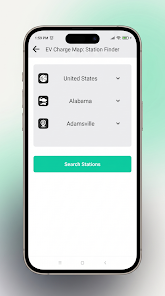
Search is flexible: look up stations by city, postal code or landmark, or use the location button to find chargers near your current position. Filters let you narrow results by connector type, charging speed, station category (charger, showroom, service center, battery shop) and recent user-reported status. The app also supports basic sorting by distance or rating so you can prioritize nearby, highly rated options during a trip. These discovery tools are designed to reduce the time spent hunting for a compatible charger.
Station details and user-contributed information
Each station page brings together practical data points that matter at the curb: full address, contact information if available, operational hours, connector list and precise latitude/longitude. Where external sources or community reports are used, the app highlights the source and timestamp so you can assess freshness. Users can complement the data with ratings and comments, helping future travelers judge reliability and convenience. The app does not require you to publish personal details to view station information.
Favorites, history and personalization
EV Charge Map: Station Finder includes a favorites system to save frequently used stations and a simple history view of recent searches and visits. Over time these personalized lists make routine navigation faster: favorite a workplace charger, a home-adjacent station or service centers you prefer so they appear rapidly in search results. Personalization extends to map settings such as preferred map type and default search radius, letting the app feel tailored to daily commuting or occasional long runs.
User interface and visual design
The interface follows a clean, modern aesthetic focused on legibility and concise data presentation. Station cards use clear typography and a logical layout so essential information is visible at a glance. Map markers are color-coded by category to reduce visual clutter, and the app maintains consistent spacing and contrast to support quick scanning while on the go. Visual choices are intended to make route planning less stressful and more predictable.
Controls, accessibility and device support
Controls are straightforward: tap markers to open cards, use pinch gestures to zoom, drag to pan and the search bar to enter queries. The app is designed to work with standard Android accessibility features, including screen readers and adjustable text scaling, and labels are kept explicit to improve compatibility with assistive technologies. Location permission is needed to show nearby results, and most features assume an internet connection to fetch up-to-date station data.
Offline use and data considerations
Because station status and availability change frequently, EV Charge Map: Station Finder performs best online. The app does cache recently viewed station pages and your favorites so limited offline access to those entries is possible when you lose connectivity mid-trip. Coverage varies by region and some details are maintained by external providers or the user community, so while the app centralizes many sources, it may not list every charger in every area.
Reliability, updates and community feedback
The app is updated periodically to incorporate new station data and interface improvements. Community feedback plays a role in correcting or supplementing listings, and the app highlights when information comes from community reports versus official provider feeds. If you depend on a specific charger, consider verifying the latest status with the station operator before making a long detour.
Everyday value and intended audience
EV Charge Map: Station Finder is aimed at EV owners and fleet drivers who want an efficient way to locate chargers and related services without switching among multiple apps. The combination of searchable map layers, station detail pages and a favorites list reduces uncertainty on short errands and long trips alike. Regular users will find the app most helpful when they consistently save preferred spots and consult recent user feedback before arriving.
Getting started
To begin, grant location access so the app can show nearby options, perform a quick search for your city or allow the app to center on your current position, and add any frequent stations to your favorites for faster access. Keep an eye on data sources and timestamps for critical trips, and use the built-in options to open station locations in your navigation app of choice when you need driving directions. If you rely on fresh availability information, combine the app's listings with on-site confirmation whenever possible.