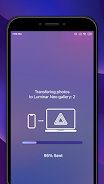
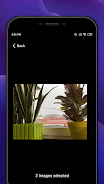
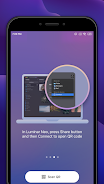
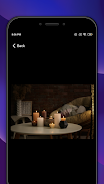
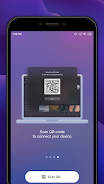
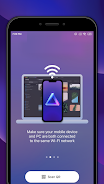
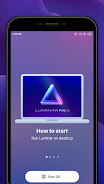
Share with Luminar Neo is a companion mobile app that streamlines moving edited photos between your Luminar Neo desktop and smartphone, making it easy to review, share, and showcase your work on the go. If you use Luminar Neo to edit images, this utility saves time by enabling wireless transfers, quick mirroring of edits to your phone, and one-tap sharing to social networks, so you can finish projects on desktop and present them from mobile without juggling cables or manual exports. Photographers and content creators who value a smooth cross-device workflow will find it especially useful.
Key Features
⭐ Share with Luminar Neo enables wireless photo transfer between your Luminar Neo desktop and mobile for fast, cable-free movement.
⭐ Photo mirroring lets you preview edits on your phone and check final results while away from your desk.
⭐ Direct social media sharing simplifies posting finished images without extra export steps.
⭐ Streamlined workflow moves smartphone captures into Luminar Neo for advanced editing with minimal friction.
⭐ Cross-platform availability on Android and iOS keeps mobile and desktop editing connected.
Advantages
✅ Fast wireless transfers reduce the number of manual export and import steps in your editing routine.
✅ Easily review and share edits from your phone, making it simple to show work to clients or post on the go.
✅ Share with Luminar Neo is free for Luminar Neo users, offering added convenience at no extra cost.
✅ Availability on both Android and iOS helps maintain a consistent workflow across devices.
Disadvantages
❎ Requires the Luminar Neo desktop app and the companion mobile app to perform transfers, so it is not a standalone editor.
❎ Primarily designed for the Luminar Neo workflow, so it may not integrate with other photo editors or external libraries.
❎ Focuses on wireless transfers, which may be less suitable for users who prefer wired file management methods.