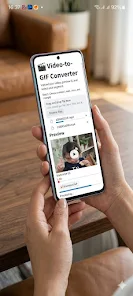
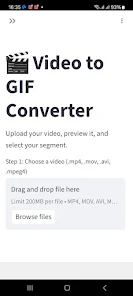
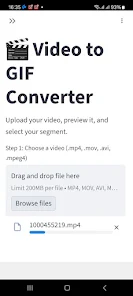
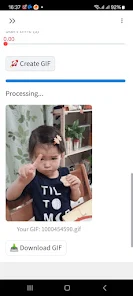
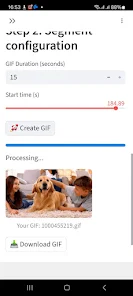
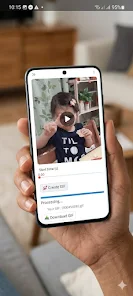
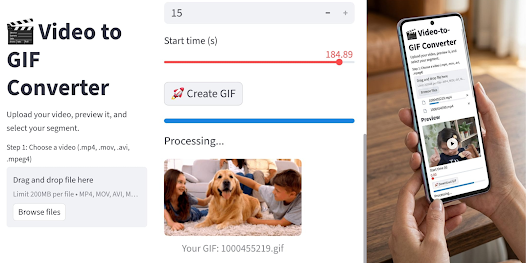
Video To GIf Maker is a compact Android utility that converts your video clips into smooth animated GIFs, making it simple to turn reactions, short highlights or memes into shareable animations. The app combines quick, local processing with basic editing tools so both casual users and creators can trim precisely, adjust speed and export high-resolution GIFs without needing desktop software. If you want a fast, privacy-conscious way to create GIFs on your phone with control over quality and file size, Video To GIf Maker delivers a straightforward workflow that keeps results professional and sharing instant.
Key Features
⭐ Powerful local conversion engine that transforms videos into smooth GIFs in seconds.
⭐ Intuitive trimming timeline for selecting exact start and end frames with pixel-level precision.
⭐ High-resolution export options while optimizing file size for web and mobile sharing.
⭐ Dynamic speed and frame-rate controls to create slow-motion or fast-paced loops.
⭐ Video To GIf Maker supports common formats such as MP4, 3GP, AVI, MOV and MKV for easy imports.
⭐ One-tap sharing and gallery saving so finished GIFs can be sent to social apps and messaging services immediately.
Advantages
✅ Video To GIf Maker processes media locally on your device, helping protect your privacy by avoiding uploads to external servers.
✅ Lightweight design that aims to minimize battery drain and storage use while running conversions.
✅ Core functionality is free to use, supported by non-intrusive ads so you don't pay to create GIFs.
✅ Fast, on-device processing means shorter wait times compared with cloud-based converters.
✅ Flexible export settings let you balance visual quality and file size for different sharing needs.
Disadvantages
❎ The app includes ads in order to support the free tier, which may interrupt the experience for some users.
❎ Offline processing means there is no built-in cloud backup or server-side enhancement for very large or complex jobs.
❎ High-resolution or long-duration GIFs can still produce large files, so some manual compression or shorter clips may be necessary.