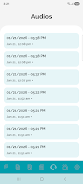
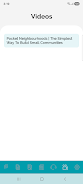
WitConnect is a compact Android app built to help residents and community members receive timely announcements, open shared links, and listen to audio recordings published by community administrators. WitConnect centralizes local notifications so you can follow neighborhood or membership communications without sorting through unrelated social feeds, and it presents link-based resources and voice posts in a simple, focused interface that makes staying informed straightforward and efficient.
Key features
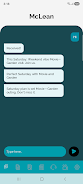
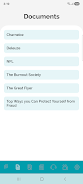
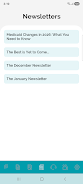
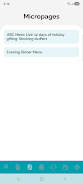
WitConnect delivers three core types of content in a single place: short announcements pushed as notifications, link resources that point to documents or web pages shared by administrators, and recorded audio messages intended for the community. Notifications are consolidated so the most relevant items appear first, links are opened directly from the post, and audio recordings play inside the app so you do not need to switch to a separate player. The app emphasizes a minimal feature set that prioritizes clarity and reliability over social extras.
Interaction and controls
Navigation in WitConnect is intentionally simple: tap on an announcement to expand its details, tap a link to open it in your browser or a designated app, and tap an audio entry to begin playback. Standard playback controls let you play, pause, and scrub within a recording, while common gestures such as swiping let you move between items in a feed. Long-press options provide quick access to common actions like marking an announcement read or saving a link for later viewing. These controls are designed to be intuitive for users who prefer straightforward, low-friction interactions.
Organization, progression and message structure
Content in WitConnect is organized by chronological posts and by community group where applicable, so you can scan the latest developments or review a history of prior announcements. Administrators can highlight important posts so the most critical updates remain visible, and items show read or unread status to help you track which notices you have already seen. For ongoing topics—such as maintenance schedules or multi-step events—posts can show follow-up entries in sequence so residents can follow the progression of an issue from first notice to resolution.
Visual style and customization
The app uses a clean, readable layout with clear typography and deliberate spacing to make announcements easy to scan on small screens. Users can adjust notification preferences to control which types of posts trigger alerts, and display options include larger text for readability and a compact list view for fast browsing. WitConnect avoids cluttered sidebars and dense feeds so the emphasis stays on the content delivered by administrators rather than on advertising or unrelated posts.
Audio handling and link management
Audio recordings play directly inside the app with straightforward controls and the ability to replay messages as needed. Recorded posts are preserved in a recent recordings area so users can return to important voice notices without searching through older posts. Shared links open in your preferred browser or app and can be referenced from the announcement details; links remain associated with the original message so it is easy to see context when you revisit a resource.
Accessibility and offline use
WitConnect aims to work well with Android accessibility services, providing clear labels for controls and readable layouts that support screen readers and larger text settings. For users who have intermittent connectivity, the app can keep recently received announcements and short recordings available for short-term offline viewing and playback, allowing residents to review critical information even when network access is limited. These measures help the app remain useful for a wider range of users and environments.
Limitations and appropriate use
Because WitConnect focuses specifically on administrator-published announcements, its usefulness depends on how actively community leaders post updates; groups with limited activity will naturally show fewer items. The app is not meant to be a general-purpose social platform or group chat, and it does not provide comprehensive community features like live discussion threads or ranking systems. Its strength lies in delivering clear, admin-managed notices, links, and recordings to residents who want a direct channel for local information.
Who should use it
WitConnect is a good fit for residents, tenants, homeowners association members, small organization participants, and anyone who needs a compact, reliable way to receive official community notices. If you value a focused, low-noise approach to local communication—where announcements, documents, and voice posts are presented without extra social features—WitConnect offers a straightforward, accessible solution for staying connected with what matters in your community.