Love is a compact relationship tracker designed to help couples celebrate milestones, preserve memories and keep important dates visible. Love displays a clear animated counter showing days together, days since meeting or days after the wedding, and provides a private calendar and reminder system so you never miss an anniversary. This introduction explains how Love organizes moments, what controls are available, and how the app balances simplicity with meaningful customization.
Key features and what they do
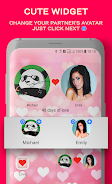
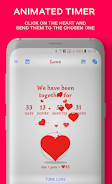
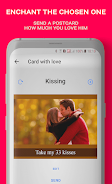
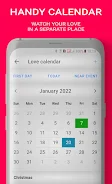
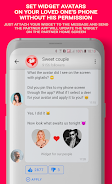
The app centers on an animated relationship timer that updates in real time and can be set to count from the day your relationship began, the day you met, or from a wedding date. A customizable home-screen widget surfaces that timer and a favorite photo for quick reference. Built-in postcards let you compose and save brief messages or image-based notes to commemorate milestones. Love also includes a private calendar for anniversaries and events, with automatic reminders scheduled at preset intervals to reduce the chance of forgotten dates.
Controls and day-to-day interactions
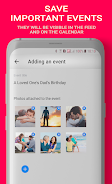
Controls are intentionally simple: tap to open the main timer, long-press the widget area to swap photos or adjust colors, and use an in-app editor to change dates or write postcards. Creating an event is a two-step process—select a date and add an optional title or photo—so setup is fast. Editing and deleting entries is straightforward from the calendar view. Notifications are clear and actionable, and you can preview postcard images before sharing them via your device's native messaging, email or social apps.
Progression, milestones and gentle challenges
Rather than game-like levels, Love uses milestone progression: first date, one-month, anniversary years, engagement and wedding are tracked as distinct markers that appear on your timeline. The app encourages regular engagement through gentle prompts—daily or weekly reminders to add a memory, or a milestone summary that helps couples reflect on how their time together has grown. These features create replay value by inviting users to revisit old moments and add new entries over time.
Visual style and customization
The visual design favors soft, neutral palettes with the option to personalize colors, fonts and photos for widgets and postcards. You can select an avatar for the counter, swap background images, and adjust text contrast for readability. Customization is designed to be approachable: options are grouped so you can change the look without navigating deep menus. The result is a compact, attractive display that fits a variety of home-screen layouts and personal tastes.
Structure, navigation and user experience
Navigation follows a clear structure: a primary timer screen, a calendar for events, an editor for postcards and a settings area for notifications and appearance. Transitions are quick and the app keeps the most-used controls within thumb reach. The UI is optimized for local performance and responsiveness so using Love feels immediate and low-friction, whether you want to glance at the days together or prepare a postcard for sharing.
Accessibility and device support
Love includes accessibility considerations such as adjustable text size, high-contrast display options and descriptive labels for key controls to work with screen readers. The widget and core screens are designed to scale on phones and small tablets. Offline usage is supported: all data and images are stored on the device by default, allowing the app to work without an internet connection and protecting the privacy of your entries.
Privacy, offline use and data handling
Because entries are stored locally, Love does not require an account or continuous online access. You can export a postcard or an image from the app to share through your chosen messaging app, and backups can be handled through device-level tools. The app focuses on private, device-based control of memories and reminders rather than externally hosted social features.
Tips for getting the most from Love
Set up your main relationship date during the initial setup so the timer reflects your history accurately. Use the widget for quick daily checks and personalize postcards for milestone celebrations. If the default notifications are too frequent or not timed to your routine, adjust reminder timing in settings to match your schedule. Regularly adding short notes or photos builds a compact timeline that becomes more meaningful over time and keeps the app useful beyond its initial setup.