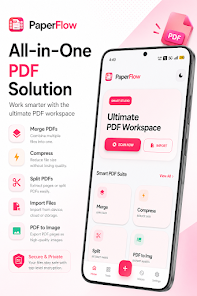
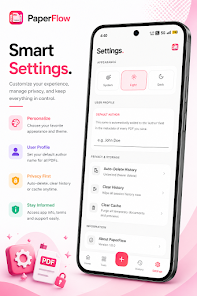
PaperFlow PDF Tools is a compact all-in-one PDF workspace that helps you edit, organize, optimize and secure documents directly on your device. The app combines fast editing, scanning and conversion utilities so you can merge, split, compress or convert files without uploading sensitive content. It is aimed at anyone who needs quick document fixes, convenient batch conversions or private on-device processing; the interface emphasizes simplicity and speed while offering smart history, customizable settings and dark mode to streamline study, office, or personal workflows.
Key Features
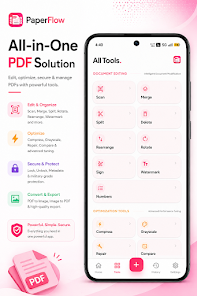
⭐ PaperFlow PDF Tools lets you scan documents with smart auto-crop, edit pages, merge multiple PDFs, split files, delete, reorder and rotate pages, add watermarks and page numbers, and apply digital signatures.
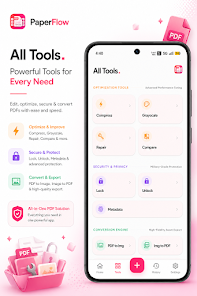
⭐ Optimization tools include PDF compression without visible quality loss, repair for corrupted files, conversion to grayscale and a document comparison utility.
⭐ Fast conversion engine supports high-quality PDF to image exports and image-to-PDF creation with accurate results.
⭐ Built-in security and privacy features allow locking and unlocking PDFs, removing metadata, and performing processing entirely on your device for added privacy.
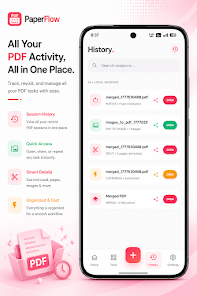
⭐ Smart history and session management track recent activity so you can quickly reopen, share or reuse files, plus settings like light/dark mode, auto-delete history and a cache cleaner for better performance.
Advantages
✅ PaperFlow PDF Tools works offline, so sensitive documents stay on your device and no upload is required.
✅ The interface is simple and modern, with fast processing designed to handle common PDF tasks quickly.
✅ A broad set of tools—editing, conversion, optimization and security—are bundled in a single app to reduce the need for multiple utilities.
✅ Practical for students, office workers and anyone managing daily PDF workflows who wants a lightweight, privacy-focused solution.
Disadvantages
❎ It may not replace full-featured desktop PDF suites for highly specialized or professional editing needs.
❎ Users coming from complex desktop tools might face a short learning curve while adapting to a mobile-focused interface.