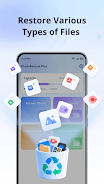
PhotoRescue Plus is a lightweight recovery utility that helps you restore deleted photos, videos and a wide range of files directly on your Android device. With PhotoRescue Plus you can scan internal storage and SD cards quickly, preview recoverable items and perform targeted restores with a few taps, making it a straightforward option for users who need fast recovery without technical complexity.
Key features
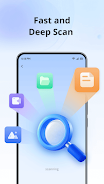
PhotoRescue Plus provides a layered scanning approach that balances speed and thoroughness. Use a Quick Scan to locate recently deleted files in seconds or switch to Deep Scan Mode to inspect device sectors for older or partially erased items. The app generates thumbnails for images and basic previews for common documents and videos so you can confirm file contents before restoring. Supported file types include standard image formats, common video codecs and a broad set of document and audio formats, and the app presents results with filters and sort options so you can narrow searches by date, file type or size. A one-tap restore workflow brings selected files back to a user-chosen folder, and the scan process can be paused and resumed to fit into your schedule.
Advantages and privacy
Because PhotoRescue Plus operates entirely on the device, recovered data remains local and private; no cloud upload or account is required. The app does not require root access, which keeps installation simple and avoids modifying system partitions. Its design prioritizes efficient use of resources so scans run quickly on modern phones while remaining usable on older hardware, and it warns before writing restored files to storage paths that are nearly full. PhotoRescue Plus also includes simple file integrity checks and shows estimated recovery confidence to help you decide which items to save.
How the recovery process works
Under the hood, PhotoRescue Plus follows a clear multi-stage workflow: initial cataloging of available storage, a scan pass that identifies recoverable file headers and metadata, preview generation for visual confirmation, and the final restore step that writes files back to a safe folder. The app attempts to reconstruct file names and original folder locations when possible, but it also handles cases where only fragments remain by exposing partial previews and metadata so you can assess value before restoring. Progress indicators and an activity log keep you informed about scan progress and recovered items, and the app maintains an internal cache so repeat scans are faster.
User interface, controls and customization
The interface is designed for direct interaction: tap Scan to begin, tap a thumbnail to preview, and tap Restore to recover a selection. Long-press selection and checkboxes let you gather multiple files for batch recovery, while a settings panel lets you choose scan depth, enable or disable thumbnail generation to save battery, and select a default restore folder. Visual elements such as progress bars, clear status messages and contextual help reduce uncertainty during long scans. Notifications summarize finished scans and provide one-tap access back into the app so you can review results without hunting for the device app icon.
Accessibility, offline use and troubleshooting
PhotoRescue Plus works fully offline and does not require an internet connection or user account, which keeps the recovery process private and suitable for sensitive material. The app supports common Android accessibility services, uses scalable text and maintains contrast-friendly UI elements to assist users with visual needs. If a scan runs slowly or a deep scan consumes battery on older hardware, the app recommends plugging in the device, freeing storage space and running deeper scans when the device is idle or charging. For SD cards with intermittent connectivity, the app suggests using a card reader and repeating the scan to maximize recovery chances.
Limitations and expectations
As with any recovery tool, PhotoRescue Plus cannot guarantee restoration of files that have been overwritten by new data or that are physically damaged on storage media. Deep scans increase the likelihood of finding older or fragmented files but take longer and may use more battery. Some uncommon or heavily corrupted file formats may not be reconstructable, and the app will indicate lower confidence for such items. These limitations are presented transparently so you can plan recovery attempts and manage expectations before starting a lengthy scan.