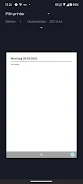
Smart Notepad is a lightweight, locally focused note-taking app designed to capture ideas, memos and to-do lists quickly and securely. Smart Notepad keeps your notes on the device so you can work offline without relying on cloud services, and it protects sensitive entries with either a PIN or your device biometric authentication. The interface favors speed and clarity: creating a new note, editing text, or sending a memo to another app happens in just a few taps, which makes Smart Notepad a practical tool for everyday productivity.
Key features and user experience
The app provides fast local storage of plain text and short formatted notes, quick sharing through the system share sheet, and basic organization tools that let you sort and revisit important items. Notes are indexed for instant search and the app preserves your content on-device so launch times and responsiveness remain predictable. Security options are straightforward: enable a numeric PIN or use the phone's fingerprint or face unlock to restrict access to the app or to individual protected notes. Smart Notepad avoids heavy feature bloat so that common tasks like taking a grocery list or jotting down a meeting summary are uncomplicated and reliable.
Controls and interaction model
Controls are gesture-friendly and optimized for one-handed use. Create a new note with a single tap, swipe to archive or delete, and use long-press actions for quick options like duplicating a note or marking it as important. Text entry supports the on-screen keyboard and works well with external keyboards when available. Copy, paste and undo operations follow the platform conventions so moving between Smart Notepad and other apps feels natural. Small animations and clear visual feedback help you understand the current mode without getting in the way of writing.
Organization, progression and task flow
Instead of complex hierarchical systems, the app focuses on simple organization that helps your productivity grow over time: create folders for broad topics, apply tags for contextual grouping, and rely on the search index to find older content. Progression in daily use comes from building short routines—capture, review, act—so notes can evolve from ideas to checklists to completed tasks. A built-in reminder flag lets you mark time-sensitive entries to review later, and basic sorting by date or modified time helps surface the most relevant notes without forcing strict management rules.
Visual style and customization
The visual design prioritizes legibility and speed. You can choose from several text sizes and a handful of color themes for light and dark environments, adjust line spacing for comfortable reading, and set a default font weight for easier scanning of lists. Templates for common note types—short list, meeting minutes, quick journal entry—are available to save a few taps when you create new content. These customization options help Smart Notepad accommodate different workflows while keeping the core interface clean and distraction-free.
Offline play, accessibility and reliability
Because Smart Notepad stores data locally, all functions work without an internet connection, including searching and editing. That offline capability means your notes are accessible on the go and not dependent on network quality. Accessibility features include scalable text sizes, clear contrast themes, and support for system-level screen readers so users with different needs can interact with the app comfortably. Regular autosave minimizes the risk of losing content, and export options let you create local backups or plain text exports for safekeeping.
Use cases, replay value and limitations
Smart Notepad works well for quick daily tasks: shopping lists, one-off reminders, travel itineraries, and short brainstorming sessions. Its simplicity encourages repeated use because there is little setup required and the app launches quickly when inspiration strikes. On the other hand, the choice to keep everything local means there is no automatic cloud backup or cross-device syncing built in, and collaboration features like shared notebooks are not part of the design. If you need advanced tagging rules, automated workflows, or team collaboration, a heavier note platform may be more suitable. For users who prefer privacy, speed, and an uncluttered writing surface, Smart Notepad provides an efficient, dependable place to capture and manage everyday information.