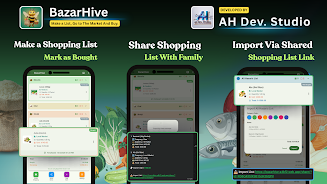
BazarHive is a smart shopping list app designed to replace paper notes and simplify grocery and market trips with a clean, minimal interface and practical utilities. BazarHive puts commonly used tools where you need them—fast list creation, reliable search and secure protection—so you can plan meals, share lists with family members and check items off as you move through the store without juggling multiple apps or paper scraps.
Key features and day-to-day workflow
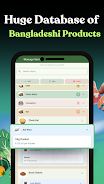
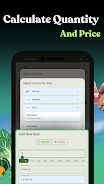
Create a list in seconds using the top-level input field, add quantities and simple notes, then organize items by store, aisle or custom categories. The app supports quick edits through intuitive controls: tap to add, long press to rename or change quantities, swipe to mark items as purchased and drag to reorder important items to the top. A fast in-app search helps you find a specific spice, brand or SKU while you shop, and one-tap PDF export produces a clean, printable list you can give to someone else or keep for records.
Controls and interaction design
BazarHive focuses on straightforward gestures and clear touch targets so basic tasks feel immediate. Primary interactions are single-tap additions, long-press for contextual editing, swipe-to-complete for checklist flow and drag handles for custom ordering. Menus are kept shallow to reduce friction: common actions are visible on the main list screen, while less frequent settings such as cloud configuration and export options live in an accessible settings area. This approach is intended to reduce confusion and speed up common shopping activities.
Progression, personalization and useful automation
Over time the app learns your most frequently purchased items and surfaces them as suggestions when you start a new list so building recurring lists becomes faster. You can save templates for recurring shopping trips—weekly groceries, party supplies or seasonal purchases—to reuse and adapt quickly. Optional recurring items and reminders help you maintain a stable pantry and avoid forgotten essentials. These lightweight progression elements reward routine use rather than gamifying shopping, making the app more convenient the longer you use it.
Visual style, layout and customization
The visual design favors legibility and simplicity: clear typography, high-contrast elements for quick scanning and a minimal color palette that keeps lists readable in bright stores. You can customize basic aspects such as list sorting (by category, custom order or alphabetically), toggle compact or relaxed spacing and switch between light and dark display modes. Custom categories and color tags let you match lists to the way you shop, whether by aisle, department or price range.
Security, syncing and offline access
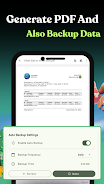
BazarHive includes secure cloud backup to keep your lists synchronized across devices; linking a cloud account enables restoration after a device change. Biometric protection (fingerprint or face unlock) adds an extra layer to protect personal shopping data when supported by the device hardware. The app also supports offline use: lists remain editable without a connection and changes sync automatically once you reconnect, so you can rely on the tool in basements, grocery aisles or areas with poor reception.
Accessibility and user experience
The interface is built with accessibility in mind: adjustable text sizes, sufficient color contrast and large touch targets reduce strain for users with vision or motor challenges. The app seeks compatibility with common screen readers so labels and actions are available to assistive technologies. Small refinements such as clear confirmation prompts, undo for accidental deletions and consistent iconography help make everyday tasks feel predictable and safe.
Practical limitations and app model
The free version of BazarHive is ad-supported, which some users may find distracting; a paid or ad-free upgrade path is typically offered to remove ads for those who prefer a cleaner experience. Cloud backup requires connecting an external account, which adds a step for users who prefer not to link services. Biometric protections rely on device hardware and OS support, so not every phone will offer every security option. These trade-offs are balanced by robust offline operation and straightforward list management features.
Everyday value and replayability
Because shopping is a repetitive activity, BazarHive earns its place on your phone through repeated, practical use rather than novelty. The combination of templates, learned suggestions and fast controls reduces the time spent planning and checking off items, helps avoid duplicate purchases and supports meal planning routines and seasonal shopping cycles. For users who want a reliable, privacy-aware replacement for paper lists, BazarHive delivers a focused toolset that adapts to common shopping habits while remaining easy to learn and use.