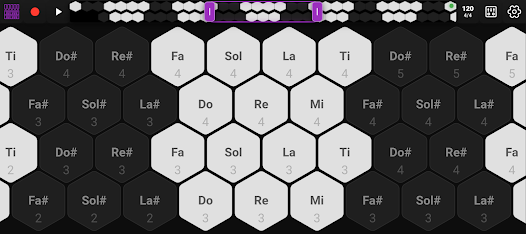
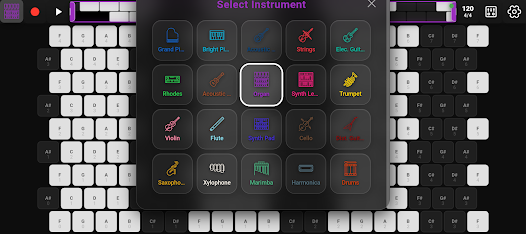
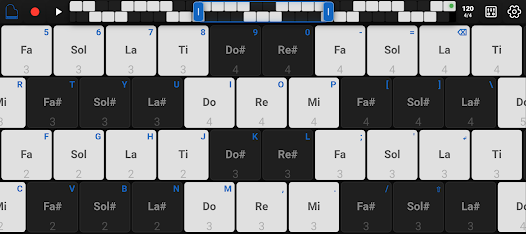
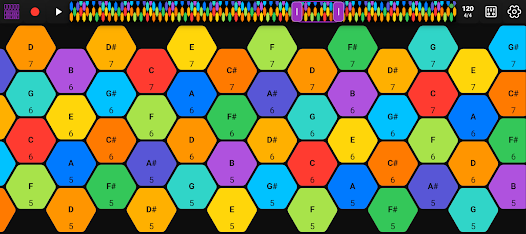
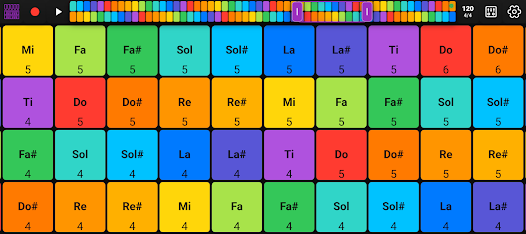
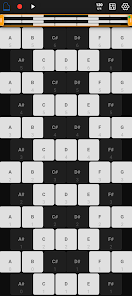
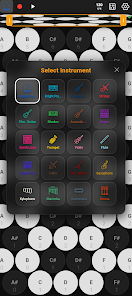
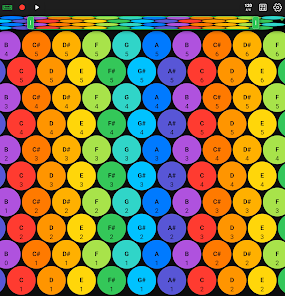
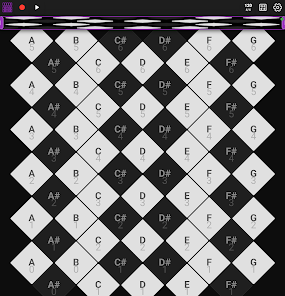
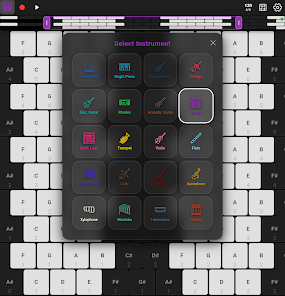
Hex MIDI - Isomorphic Keyboard turns your phone or tablet into a compact, pattern-oriented musical controller that keeps fingering and chord shapes identical across every key. Hex MIDI - Isomorphic Keyboard replaces the familiar piano layout with a geometric grid so transposition becomes a matter of shifting position rather than relearning fingerings, making it easier to transfer patterns between songs and to experiment with harmony on the move. The interface is designed for touch control, with responsive note triggering and visual feedback that supports both quick sketching and extended practice sessions.
Key Features
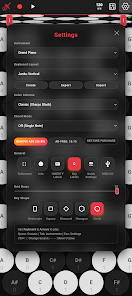
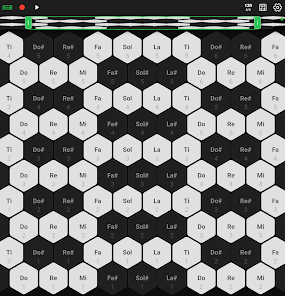
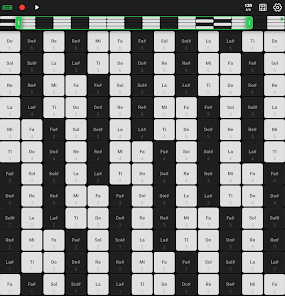
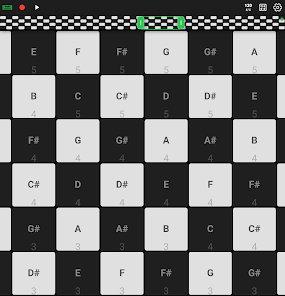
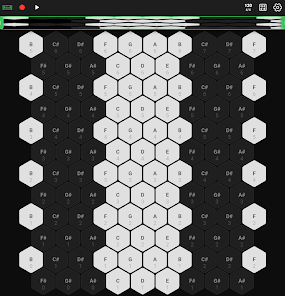
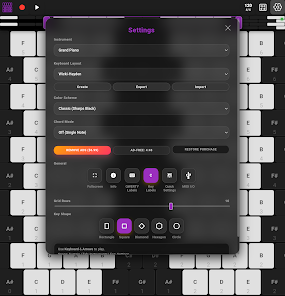
The app offers multiple preset layouts that cater to different musical approaches, including Wicki-Hayden for fast scalar passages, Harmonic Table for compact chord shapes, Janko (Bosanquet) for linear melody work, and a Fourths layout tuned like a standard guitar. You can change the shape of the keys between hexagons, squares, or circles so the visual grid matches your playing preference and hand ergonomics. Grid sizing is adjustable so cells can be enlarged for precise playing on small screens or packed tighter on tablets, and you can shift the whole layout to place the most-used zone within easy thumb reach for live performance.
Controls & Layouts
Touch behavior and gestures are designed to suit different workflows: single-finger tapping triggers notes while multi-touch supports chords and overlapping voices. Velocity and pressure-like sensitivity are available where the device supports them, and you can set on-screen sustain, octave shift, and transpose controls to work without leaving the main view. The app includes configurable MIDI note mapping so you can align the grid to any MIDI channel or note range, and it supports MIDI CC mapping for assigning performance controls to external hardware or software parameters.
Practice, Progression & Replay Value
Hex MIDI - Isomorphic Keyboard is built for practice as much as for performance. Practice modes offer scale drills and chord pattern exercises that highlight consistent shapes across keys, helping players internalize transferable patterns rather than individual notes. A metronome and adjustable tempo let you increase speed in small increments, and a repeat/looping function helps lock in tricky transitions. As you work through the exercises, you can track which layouts and zones you use most, which helps structure focused practice routines and increases replay value as the patterns become second nature.
Connectivity & Integration
The app is MIDI-capable for both virtual and hardware workflows: it can send notes and control change messages to desktop DAWs, soft synths, and external sound modules using appropriate adapters or network MIDI setups. Latency options and buffer settings help match the app to different devices and Bluetooth or USB interfaces, while preset saving makes it easy to switch between studio and stage configurations. Offline usage is fully supported, so you can practice or compose without an internet connection and then connect to external gear when you move to a recording or performance environment.
Visual Style & Accessibility
Visual customization focuses on clarity and playability: adjustable color themes, contrast settings, and highlight options help visually distinguish active notes, scale degrees, and root positions. Larger cell sizes and high contrast themes improve accessibility for players with limited vision, and the layout shift feature lets left- or right-handed users place the central playing area where it is most comfortable. Haptic feedback and optional audio previews for touched cells are included to reinforce learning for users who benefit from multisensory cues.
Limitations & Practical Notes
While the isomorphic grid accelerates pattern learning, it requires an initial adjustment period for players accustomed to piano layouts. Dense grids on very small phones can be harder to play accurately without a stylus or a larger device, and effective integration with external hardware can require MIDI-compatible adapters or network configuration. The app focuses on local MIDI control and practice tools; it does not include cloud synchronization, online multiplayer, or ranked leaderboards.
Who This App Is For
Musicians who compose, improvise, or practice on the go will find Hex MIDI - Isomorphic Keyboard to be a practical tool for pattern-based input and idea capture. Whether you use it as a portable sketchpad to send notes to synths and DAWs or as a learning aid for scale and chord fluency, the app combines tactile playability, flexible mapping, and keyboard layouts that emphasize transferable technique across keys.