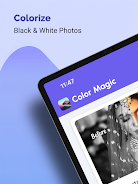
Colorize Photos brings black-and-white images back to life with a single tap, using intelligent colorization tuned for family portraits, historical snapshots, landscapes, and architectural photography. The Colorize Photos workflow starts by automatically analyzing texture, edges, and gray levels to propose natural-looking color tones, then lets you preview and refine results before you save or share. Designed to be approachable for non-experts, the app emphasizes preservation of detail and realistic coloring without requiring manual painting skills.
How it works
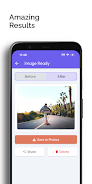
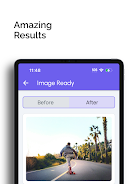
The core process in Colorize Photos is automated: upload a monochrome image and the algorithm estimates likely colors for skin, clothing, foliage, sky, and building materials while preserving shadows and fine detail. Processing is presented as a step-by-step pipeline so you can follow what changed between the original and the colorized result. A split-view before-and-after preview helps you evaluate color placement, and an adjustable intensity control lets you dial back or intensify color for a more subtle or vivid finish. The app maintains the original resolution where possible and warns when a source image is too low quality for reliable color decisions.
Controls and workflow
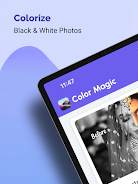
The interface focuses on simple, clear controls. The main screen provides one-tap colorization along with accessible tools for refinement: an intensity slider, an undo/redo history, and a brush tool for targeted touch-ups. You can crop and rotate before processing to focus on the subject, or apply colorization first and then fine-tune crops for composition. All editing actions are non-destructive so you can revert to the original black-and-white photo at any time. Buttons and labels are large and contrast-friendly to support quick use on small screens.
Customization and presets
While automatic colorization covers most cases, Colorize Photos includes a set of tone presets that adjust overall warmth, saturation, and film-like color grading so you can match a mood or period look. Presets act as starting points and can be combined with manual adjustments using the slider and brush tools. For repeated tasks, you can save a custom preset that remembers intensity and tone settings so similar photos maintain a consistent appearance across an album.
Visual style and result quality
Results emphasize natural textures and subdued color transitions rather than oversaturated fills. The app detects faces and skin tones to avoid unnatural hues, and it seeks to retain grain, contrast, and the character of aged photos so restored images look authentic. For landscape and architectural images, Colorize Photos prioritizes plausible materials and vegetation colors while preserving shadows and highlights that convey depth. Exported files are optimized for sharing and printing, with options to preserve original resolution for archival purposes.
Progression and replay value
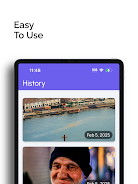
Although this is a single-purpose editor rather than a game, there is meaningful progression in how users develop their editing style. Early edits help users learn which presets and intensity settings work best for different genres of photography. The ability to create and store custom presets, re-edit photos at any time, and compare multiple colorization attempts adds replay value for enthusiasts restoring large photo collections or experimenting with historical restoration techniques.
Accessibility, performance, and offline use
Colorize Photos is built with accessibility in mind: high-contrast controls, readable fonts, and simplified workflows reduce friction for new users. The app is optimized to run efficiently on device and supports offline processing for basic colorization tasks, so you can work without a network connection. Performance scales with device capability, and the app communicates expected processing time for very high-resolution images so users can choose between speed and maximum detail retention.
Tips, supported content, and limitations
For best results, start with the highest-resolution scan or photo you have and crop to the subject when possible. Colorize Photos handles portraits, landscapes, historical prints, and scanned negatives, but final colors are estimates and may not exactly match the original scene. Very low-resolution or heavily damaged images can produce less accurate color choices, and complex scenes with ambiguous color cues may require manual touch-ups using the brush and presets. The app provides guidance inside the editor to help you recognize when manual refinement will improve the outcome.
Whether you are digitizing family albums or experimenting with restoration, Colorize Photos offers a balance of automatic convenience and hands-on controls that preserve detail and deliver natural colorized images ready to save, print, or share.