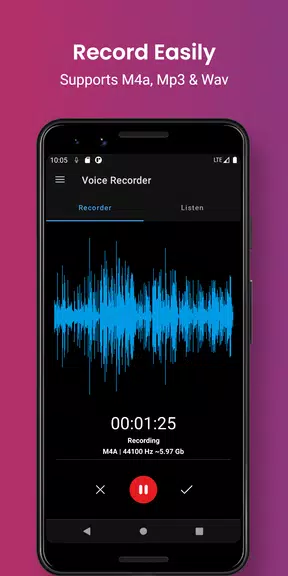
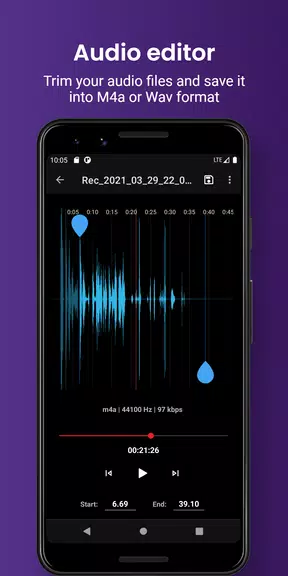
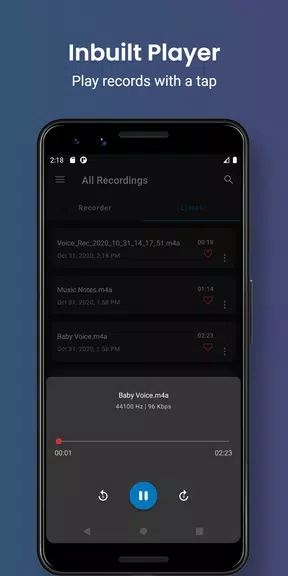
Smart voice recorder - editor is the ultimate tool for anyone looking to easily and efficiently record and manage audio files on their Android device. With features like audio-cutter, SD-card recordings, MP3 recordings, Cloud upload, and more, this app goes above and beyond to provide a seamless user experience. Whether you need to capture important meetings, notes, or even musical ideas, this app has got you covered. Plus, with options to easily save files to SD-card, mark favorite recordings, categorize files, and even trim unwanted portions with the built-in audio editor, Smart Voice Recorder - Editor is the must-have app for all your recording needs.
Features of Smart voice recorder - editor:
Easy to Use Interface:
The app is designed for a great user experience, making it simple and easy to start a voice recording with just one click. Whether you're a beginner or a pro, you'll find the interface intuitive and user-friendly.
Customizable Saving Options:
You can save your recordings to your internal memory or SD card, giving you the flexibility to manage your audio files in a way that works best for you. This feature is available for free to all users, adding convenience and organization to your recordings.
Organization Made Simple:
With the ability to mark your favorite recordings and create custom categories like voice notes, meetings, lectures, and music, you can easily organize and categorize your audio files. This feature allows you to easily find and access specific recordings whenever you need them.
Cloud Upload Capability:
By signing in with your Google account, you can enable cloud upload and seamlessly upload your recordings to your cloud drive directly from the app. This feature ensures that your recordings are securely backed up and accessible across multiple devices.
FAQs of Smart voice recorder - editor:
Is the app free to use?
Yes, the app is free to download and use, providing basic recording features at no cost. However, there are optional pro features available for purchase within the app for enhanced functionality.
Can I save my recordings to an SD card?
Absolutely! The app allows you to save your recordings to your custom folder in internal memory or to an SD card, giving you the flexibility to store your audio files in a location of your choice.
Is cloud upload secure?
Yes, cloud upload is secure when using the app's integration with Google Drive. Your recordings are encrypted and securely transferred to your cloud drive, ensuring the confidentiality and privacy of your audio files.
Conclusion:
In conclusion, Smart Voice Recorder - Editor offers a user-friendly interface, customizable saving options, easy organization features, and seamless cloud upload capabilities, making it a top choice for recording and managing audio files on Android devices. Whether you're a student, professional, musician, or anyone in need of a reliable voice recorder, this app delivers convenience, functionality, and efficiency in one powerful package. Download the app today and experience the benefits of smart voice recording firsthand.