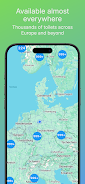
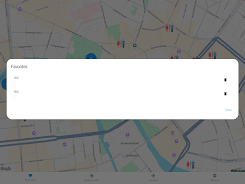
WC Finder helps you locate nearby public toilets quickly and with minimal fuss. WC Finder uses your device location and an interactive map to show nearby facilities with practical details such as opening hours, any associated costs and accessibility information, and WC Finder makes it easy to start turn-by-turn navigation to a chosen restroom with a single tap. Lightweight and straightforward, the app is designed for travelers, commuters, event-goers and anyone who needs a reliable, low-friction way to find toilets in unfamiliar areas.
Key Features
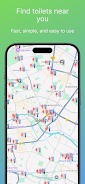
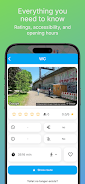
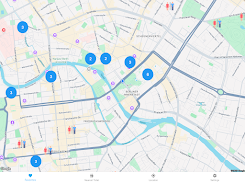
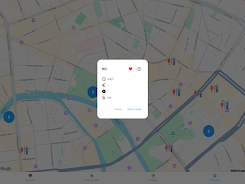
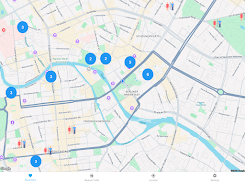
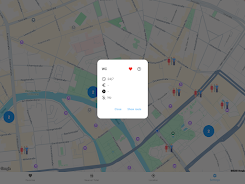
The map-centric interface highlights nearby restroom locations as pins that you can inspect for a concise detail card. Each listing includes published opening hours, whether there is a fee, and notes about accessibility where that information is available. Tapping a result opens routing options so you can navigate using your preferred maps or navigation app. The app relies on your device GPS to show the closest facilities in real time, and the integrated location consent dialog makes the permission process transparent.
Controls and Navigation
WC Finder keeps controls simple so you can complete a search with minimal distraction. Use the map to pan and zoom, tap pins for more details and press a single navigate button to hand off to a navigation app for step-by-step directions. A searchable list view is available alongside the map to compare distances, opening times and accessibility notes without switching screens. The interface is deliberately uncluttered so a short, one-handed flow is possible when you need to locate facilities quickly.
User Experience and Visual Style
The visual design favors clear icons, readable text and a high-contrast map layer so information is legible in varied lighting conditions. Facility cards present the most important facts at a glance, with secondary details accessible by scrolling within the card. The app balances compactness and clarity: it is lightweight to conserve device storage and optimized to limit battery use while keeping location updates accurate. The result is an unobtrusive tool that blends into daily routines and short trips alike.
Progression, Personalization and Replay Value
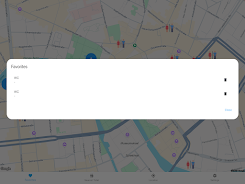
WC Finder improves its usefulness over time by keeping listings updated and by exposing recent searches so you can reach frequently used locations faster. The app stores short-term search history and allows you to return to recent results without repeating the whole search process. Regular updates to the underlying database keep the information relevant, which encourages repeated use during travel, events or everyday commutes. Because accurate facility data is a practical utility rather than a game, replay value comes from reliability and freshness of listings rather than progression mechanics.
Accessibility and Practical Considerations
Accessibility details are displayed where available, including wheelchair access and other notes that help users assess a facility before they go. The app’s layout and contrast choices are intended to support users with varying vision needs, and the simplified control flow reduces cognitive load when time is limited. In areas where facility data is sparse, the app indicates when information may be incomplete so you can plan accordingly.
Offline Behavior and Maintenance
WC Finder is primarily designed to work with an active location connection, but the app conserves your recent map view and results during short offline periods so you retain access to the last-known details when a connection is temporarily unavailable. The database of locations receives regular maintenance and updates to minimize stale listings; when changes occur, updated details are pushed with routine app updates to keep information current for frequent users.
Privacy, Permissions and Limitations
Privacy is treated as a core consideration: WC Finder requests location access only to provide nearby results and explains how location data is used before you opt in. The app does not require unnecessary personal data to function and includes a consent mechanism for location services. Limitations include the need to enable location services to see nearby toilets and the possibility that some listings may lag between database updates, especially in remote areas. These trade-offs are documented in-app so users understand expected performance.
Practical Tips
For best results, enable location access while using the app, allow the brief permissions prompt to appear and update the app regularly so you receive the latest facility information. If you find an incorrect or missing listing, check back after an update because the database is periodically refreshed. WC Finder aims to reduce the stress of searching for a restroom by offering consistent, easy-to-read information when you need it most.