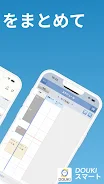
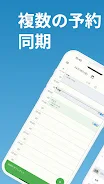
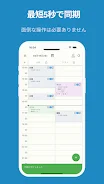
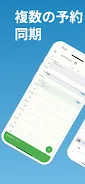
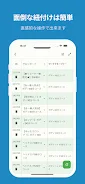
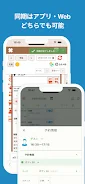
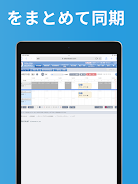
DOUKIスマート is a synchronization tool built for salons that streamlines appointment management by consolidating reservations from multiple booking services into a single, intuitive interface. Designed for businesses contracted with the Online Reservation Synchronization System DOUKI, the app keeps schedules, break times and staff work hours aligned automatically so salon teams can avoid double bookings and reduce manual entry. The app monitors the browser for new bookings and displays a pop-up when synchronization completes, typically within about ten seconds, providing a simple confirmation that the schedule is up to date.
Key features and how it works
DOUKIスマート performs continuous background monitoring of the connected booking channels and then reconciles incoming reservations against the salon’s central schedule. Automatic synchronization applies changes to appointment times, staff assignments and defined break periods, while a visible notification confirms completion. The synchronization cycle is optimized for speed, and the app is designed to run reliably during operating hours and after-hours updates so staff do not need to intervene for routine updates.
User controls and customization
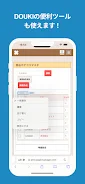
The app offers control options intended to fit common salon workflows: administrators can set synchronization preferences and adjust how the app treats overlapping bookings or schedule conflicts. In-app schedule controls let managers make manual edits, place temporary holds during treatments, and define staff work hours. These controls are presented within a compact interface so teams can quickly resolve exceptions without switching between multiple booking platforms.
Progression, roles and account setup
Onboarding follows a straightforward progression from installation to live synchronization: connect the salon’s supported booking services, confirm staff schedules, and run an initial sync to validate mappings. The app supports common role distinctions such as manager and staff views so permissions can limit who edits master schedules versus personal calendars. This staged setup helps reduce configuration errors and provides a clear path for salons to move from trial use to daily operations.
User experience and visual style
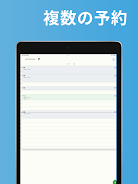
DOUKIスマート emphasizes clarity and minimal distraction. The visual style focuses on readable calendar layouts, clear status indicators for last sync times, and concise pop-up messages that confirm actions without interrupting service. The interface prioritizes accessibility with readable fonts, straightforward iconography and touch-friendly controls so receptionists and stylists can operate the app quickly on phones or tablets.
Offline behavior and reliability
The app is designed to tolerate short network interruptions and will retry synchronization when connectivity is restored. Because operation depends on network stability, salons in areas with persistent connectivity issues should plan for occasional delays; the app surfaces connection status to help teams understand sync state. Regular retries and clear error messages aim to give staff the information needed to address issues or switch to manual scheduling temporarily if required.
Compatibility and supported services
DOUKIスマート supports a defined set of booking services integrated with the DOUKI synchronization system; the app will synchronize only those platforms that are part of the contracted set. If a salon relies on a booking platform that is not supported, reservations from that service will not appear in the centralized schedule. Documentation and guidance are provided to help salons confirm supported integrations and plan any necessary transitions.
Accessibility, documentation and troubleshooting
Built with everyday salon workflows in mind, the app includes clear documentation and step-by-step usage guides that cover initial setup, permission management, and common troubleshooting scenarios. Support resources explain how to interpret synchronization logs, how to resolve conflicting appointments, and when to contact technical support. Accessible design choices and concise help articles reduce training time for new staff and make it easier to maintain consistent scheduling practices.
Limitations and best practices
DOUKIスマート is available only to salons contracted to the Online Reservation Synchronization System DOUKI and is intended to complement, not replace, existing booking policies. Best practices include confirming supported service lists before rollout, training staff on manual overrides for exceptional cases, and monitoring network health to minimize sync delays. Understanding these boundaries allows salons to rely on the app for routine automation while retaining control for special scheduling needs.