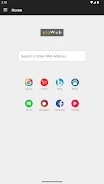
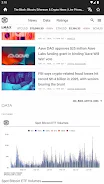
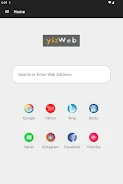
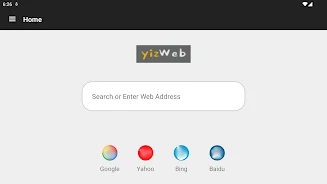
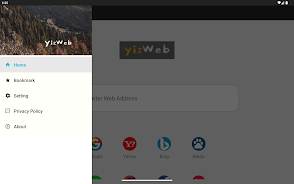
YizWeb is a lightweight, privacy-focused browser designed to reduce tracking, block intrusive ads and malicious content, and speed up page loading by detecting media resources. YizWeb provides dynamic web page translation so you can read content in different languages without switching apps, and it limits third-party scripts to better protect personal data while keeping browsing responsive. This editor summary highlights how the app approaches privacy, its user controls, and what to expect when you replace or supplement a standard browser with this streamlined alternative.
Key Features
The core of the experience centers on script control, media-aware rendering, translation, and model-based protection. By restricting third-party scripts, the browser lowers common tracking vectors and reduces background noise from extraneous services. Media detection prioritizes images, audio, and video resources so pages render faster and present a cleaner layout for reading or playback. A custom-trained detection model flags obvious ad formats and known malicious patterns to reduce exposure to risky content. Built-in translation works dynamically on the page so you can switch languages on the fly without copying links to another app, and simple privacy toggles give you immediate control over how aggressive filtering will be on any given site.
How it Works
YizWeb analyzes page elements as they load, distinguishing core site assets from optional third-party scripts and advertising frames. The filtering layer evaluates requests and either allows, delays, or blocks them based on the chosen protection level, while media detection identifies resources that affect layout and playback so the browser can prioritize what to fetch first. The model used for detection operates locally to classify typical ad and threat patterns; when the model encounters uncertain cases it errs on the side of user safety and surfaces options so you can decide whether to trust specific content. Translation is applied to the visible document object model, preserving layout as much as possible while converting text strings into the selected language.
Controls and User Interface
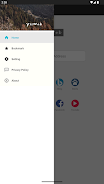
YizWeb’s interface favors clarity and quick access to privacy controls. The main toolbar exposes a single-button privacy menu where you can change script restrictions or translation settings for the current site, and a compact site info panel displays what was blocked and why, which helps you make informed decisions without digging through advanced menus. Navigation gestures and standard browser controls are supported so switching tabs, returning to previous pages, and opening links in new tabs remain familiar. For users who prefer granular settings, the app offers per-site adjustments that persist, making repeated visits smoother while retaining control.
Customization and Progression
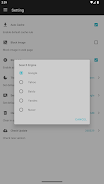
Customization focuses on making the browser adapt to your habits rather than forcing a one-size-fits-all approach. You can tune the strictness of filters, adjust translation defaults, and choose how aggressively media detection optimizes page loads. Over time, as you fine-tune these settings, the browsing experience adapts: trusted sites can be allowed more script freedom while unknown pages are subjected to stricter controls. This kind of progressive personalization acts like a lightweight progression system, where familiarity with the controls leads to faster, more private browsing tailored to your needs.
Performance and Offline Behavior
Because YizWeb prioritizes essential resources and trims unnecessary third-party calls, many pages load with lower data usage and reduced latency, which is especially noticeable on content-heavy sites. Caching and smart media prioritization help with revisits by reducing redundant fetches, but the app is not positioned as a full offline reading manager; instead it focuses on efficient live browsing. The reduced background activity also conserves battery and makes the app suitable for use on lower-end devices or in situations with limited connectivity.
Accessibility and Safety
The browser includes basic accessibility-friendly settings such as adjustable text scaling and support for system-level high-contrast modes, ensuring content remains readable for a wide range of users. Translation support lowers language barriers, and the privacy-first defaults protect sensitive data from many cross-site tracking techniques. The security model is conservative: it will block content it deems risky and surface clear explanations so you can override decisions when necessary.
Known Limitations
No filtering system is perfect. Restricting third-party scripts can break interactive features on sites that rely on external services, and model-based blocking can occasionally misclassify benign elements, requiring user adjustment. Some advanced web applications may require relaxed settings to function fully, so be prepared to momentarily allow certain scripts for specific sites. Overall, YizWeb offers a balanced tradeoff between privacy and compatibility, and it is best suited for users who prioritize cleaner, faster browsing with built-in translation and clearer control over what runs on the pages they visit.