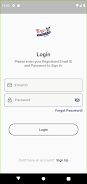
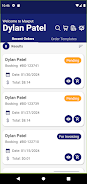
TBS Shop is a controlled-access shopping app designed for merchants who need an owner-managed storefront rather than an open public catalog. TBS Shop connects to a companion web application and enforces merchant-issued permissions: users must register and be explicitly approved by the store owner, and purchases require a linked web application account. This model is useful for private sales, restricted catalogs, wholesale customers, club members, or any situation where the merchant needs to restrict buying to an approved audience.
What TBS Shop does and who it suits
TBS Shop provides a focused, permission-driven buying experience that puts store owners in control of who can browse and purchase. Instead of a broadly accessible marketplace, the app is intended for stores that want to grant catalog visibility and transaction rights selectively. The app is appropriate for specialty retailers, small businesses managing client lists, event vendors offering exclusive items, and any merchant that prefers a managed, approval-based commerce flow.
Key features
The core behavior of TBS Shop centers on registration, approval, and linked accounts. New users must create or link an existing web application account to complete purchases. Store owners review and explicitly approve accounts before granting product visibility and buy rights. Catalogs, product details, and pricing are presented only to approved users according to the merchant’s settings. The app displays product images, basic specifications, and order forms while deferring payment and final order processing to the linked web application, ensuring that the merchant’s web backend controls transaction verification and record-keeping.
How the app works in practice
The interface is designed for straightforward mobile navigation: users tap to browse categories, open product pages to view details and images, and follow an in-app checkout button that sends them through the linked web application to finalize payment. TBS Shop itself focuses on access control and catalog presentation; it relies on the merchant’s web account system for identity, purchase authorization, and order completion. Merchant approval acts as the primary progression mechanic: once a store owner grants permission, a user’s access expands to include buying ability, personalized pricing, or access to restricted collections based on the merchant’s configuration.
Controls, progression and user flow
User controls are intentionally minimal to reduce friction. Typical touch interactions include swiping through product galleries, tapping to expand descriptions, and using familiar mobile gestures to navigate back and forth between lists and detail pages. The progression system is not a game-level structure but a permission ladder: users begin with limited or no visibility, submit registration details, and progress to authorized buyer status once the merchant approves their account. This gated progression supports business processes like vetting wholesale customers or managing membership-only product drops.
Visual style and customization
The app emphasizes clarity and product imagery rather than ornate animations. Product thumbnails, concise descriptions, and clear calls-to-action help authorized buyers find what they need quickly. Merchants often control branding elements, catalog organization, and which product fields are shown so the app’s visual presentation aligns with the store’s web-based storefront. This makes TBS Shop a practical choice for sellers who want a simple, consistent look across mobile and web without unnecessary visual complexity.
Accessibility, offline behavior and user experience
TBS Shop aims to be usable across a range of devices and accessibility needs by supporting scalable text and predictable navigation patterns that work with screen readers and assistive tools. Because it relies on the merchant’s backend for account validation and checkout, network connectivity is generally required to complete transactions; however, the app can display previously loaded product pages for brief offline review depending on device caching. The overall user experience is built around transparency: the app clearly indicates when approval is required, shows account linking instructions, and provides status information so buyers know whether they can proceed or need to wait for owner approval.
Security, merchant control and limitations
TBS Shop centralizes permission and reduces the risk of anonymous or unauthorized purchases by putting control in the merchant’s hands. That centralization can introduce delays: account approval and the requirement to link a web application account add steps before shopping is possible. The app is not intended for public, instant-access sales, and customers should expect that some stores will limit visibility or require additional verification. For merchants who need a private, controllable storefront environment, TBS Shop provides a clear, secure way to manage who can see and buy products while keeping transaction processing under the web application’s governance.