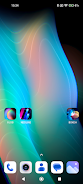
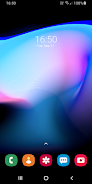
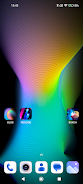
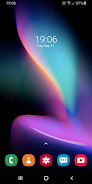
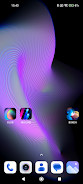
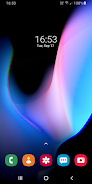
Blob is a customizable live wallpaper and companion app that transforms your device's screen into animated 3D shapes and soothing color patterns, ideal for OLED displays and users who want a stylish, dynamic home screen. With Blob you can deform three-dimensional forms, set and blend colors, and produce calming, looped patterns that run continuously or be saved as a static image. The app is built to leverage modern hardware and refresh rates, so users with high-refresh displays and recent Android versions will get the smoothest visuals and the most options for personalization.
Key Features
⭐ Deform and animate 3D shapes and adjust colors to create custom visuals optimized for OLED panels.
⭐ Runs as a live wallpaper or standalone application so you can keep dynamic backgrounds or capture stills.
⭐ Supports 120Hz, 90Hz and 60Hz displays for smooth animation on high-refresh devices.
⭐ New engine, new options and a refreshed visual look introduced in Blob 2.0+.
⭐ Save the current frame as an image from settings and apply it as a static wallpaper.
Advantages
✅ Highly customizable visuals that let you tailor ambience and color to your taste.
✅ Optimized for OLED screens to deliver deep blacks and vivid color transitions.
✅ Smooth performance on modern high-refresh displays (60/90/120Hz).
✅ Save-image feature makes it easy to capture favorite frames and use them as static wallpapers.
Disadvantages
❎ The Save Image feature requires Android 13 or newer for full functionality.
❎ Visual benefits are most pronounced on OLED panels and may be reduced on LCD devices.
❎ The smoothest experience depends on having a high-refresh-rate device; older phones may not feel as fluid.
Version Information
Blob 2.0+ brings a rebuilt engine, a refreshed look and additional configuration options to the app.
The update adds explicit support for 120Hz, 90Hz and 60Hz displays and introduces the Save Image option.
To save a frame: open Settings and tap Save Image to store the picture, then use your Gallery to set the saved image as a static wallpaper.