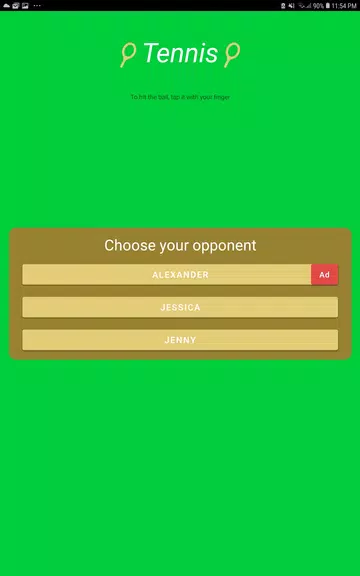
Tennis is a compact, casual sports game built for short play sessions and quick skill practice. App type: Casual sports game. In Tennis you jump into brief one-on-one rallies against three distinct opponents — Jenny (easy), Jessica (medium) or Alexander (difficult) — so you can play for a few minutes between activities and see immediate feedback on how you did. The experience centers on keeping the ball in play and extending streaks, and the interface is intentionally lightweight so matches start fast and stay focused on timing and placement.
Key features
The game offers a tight set of core features that emphasize replayable micro-sessions rather than long campaigns. Choose an opponent with a clearly labeled difficulty, play a quick rally, and get a direct hit count score at the end of each match. Opponents differ in reaction speed and shot selection rather than in cosmetic complexity, which makes it easy to compare performance across attempts. Quick restart and opponent switching are built into the post-match flow so you can immediately retry or move to a tougher challenge without navigating deep menus.
Gameplay and controls
Gameplay in Tennis focuses on timing, angle control and anticipation. Controls are intentionally minimal: simple touch interactions let you return the ball and influence placement, with responsive input that rewards precise timing more than memorizing long move lists. The control model supports short practice loops — learn the rhythm of the opponent, adjust the angle of your returns, and aim to extend rallies. Subtle differences in shot timing translate to predictable ball paths, so players who refine rhythm and placement will see steadily improving streaks.
Progression and challenge structure
Progression is match-based and skill-driven. There are no persistent level trees or currency systems; instead, advancement comes from personal improvement and learning each opponent’s tendencies. Jenny provides forgiving rally windows to introduce the basic mechanics, Jessica raises the bar with faster responses and more varied shot placement, and Alexander challenges timing with the tightest reaction windows. The hit counter after each match serves as an immediate benchmark, making it simple to track incremental progress across short sessions.
Visual style and level layout
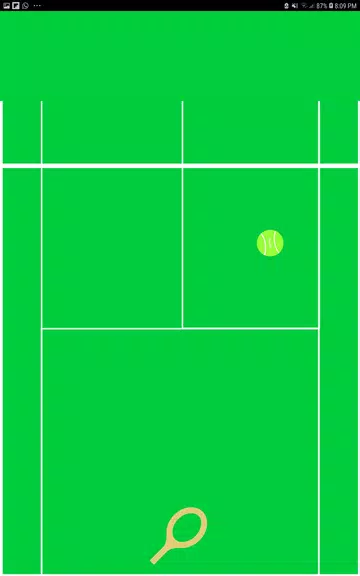
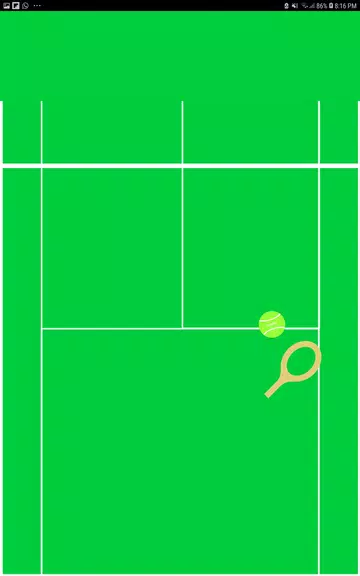
The visual approach is clean and functional, designed to make ball visibility and opponent cues easy to read. A single, consistent court layout and camera perspective keep visual noise to a minimum and emphasize rally flow. Animations are smooth so ball trajectory and opponent body language convey useful timing information without flashy effects. Contrast and clarity are prioritized so players can quickly recognize spin and direction during fast exchanges, supporting both casual play and deliberate practice.
Customization and settings
Customization is deliberately light to preserve the quick-start nature of the experience. You can select which opponent to face before or after a match, and access basic device-dependent settings such as toggling sound, adjusting touch sensitivity, or changing control responsiveness if supported by your device. The pared-down settings menu helps reduce friction between matches while still offering enough control to tailor responsiveness and audio feedback to your preferred play style.
Replay value and user experience
Replay value comes from repeatable micro-sessions and a clear feedback loop that encourages experimentation with timing and placement. Because matches are brief and the restart path is immediate, Tennis supports focused practice, casual short-play breaks and incremental skill testing. The simplicity also keeps onboarding friction low for new players while offering measurable room for improvement for those who enjoy refining timing and predictive play.
Accessibility and offline play
Tennis is designed to be accessible: difficulty choices are explicit, controls are straightforward, and short match lengths suit a wide range of attention spans. The core game is playable offline and does not require a network connection, so you can practice rallies without data use or connectivity. Local, low-friction play is a deliberate design decision — there is no online multiplayer, ranking system, or cloud progression to ensure a consistent, private single-player experience.
Limitations and expectations
This app is intentionally compact and focused on pick-up-and-play rallying rather than deep career modes or extended unlock systems. Only three opponents are available and post-match feedback is limited to the hit count, so players seeking extensive statistics, long progression trees or persistent unlockables may find the scope modest. For users who want quick practice, simple controls and a consistent challenge ladder, Tennis offers a straightforward and reliable casual tennis experience built around short sessions and clear, repeatable goals.