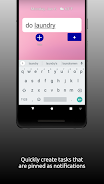
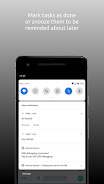
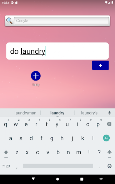
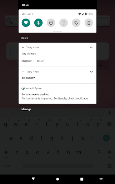
Tasky is a lightweight reminder app that turns tasks into actionable notifications so you can snooze, revive, or mark items as done without opening a full task manager. Tasky focuses on quick interactions and predictable behavior: notifications arrive like standard alerts, snoozed items can be deferred with a tap, and deferred notifications are automatically restored the next morning so your day starts with what matters most.
Key Features
Tasky creates minimal, actionable notifications that live in your device’s notification shade, letting you complete or snooze tasks with a single tap. Snoozed notifications reappear the following morning by default, helping you push non-urgent items until your next work period without losing them. Subscribers gain additional tools: they can group related tasks into named collections and assign a custom notification time to each group, which is useful for separating morning routines, work tasks, and evening reminders. Any snoozed item can be manually revived at any time for immediate attention, and notifications are presented as standard Android alerts for fast, consistent control.
Controls and Interaction
Interaction is designed to be fast and consistent: from a notification you can tap a action to mark a task done or select a snooze option to defer it. Managing groups and schedules for subscribers is handled in a compact editor where you name groups, add tasks, and set the preferred notification time for that group. Revival of snoozed items is deliberate and manual so you don’t get unexpected interruptions; when you need a deferred task back, a single revive command restores it instantly to the notification area. The app emphasizes tactile, low-friction controls instead of deep menu navigation.
Progression and Routine Building
Rather than leveling mechanics, Tasky supports steady habit formation through reliable recurrence and predictable notification behavior. Recurring daily reminders, morning restoration of snoozed items, and group schedules make it easier to build routines—put recurring activities into dedicated groups and let the app remind you at consistent times. Over weeks, users typically notice improved routine adherence because tasks either get completed or reappear in the morning when planning the day.
Visual Style and User Experience
Tasky adopts a clean, uncluttered visual approach: the app itself uses simple lists and clear labels while notifications match the device’s native alert style so they blend with other system messages. This minimal visual language keeps interactions focused on action rather than presentation. Task names, group labels, and time stamps are displayed prominently so you can scan and act quickly. The app is intentionally unobtrusive to reduce cognitive load and decision fatigue.
Organization and Customization
Organization centers on simple grouping and scheduled times for subscribers: group related reminders together, set a single notification time for that collection, and treat the group like a small routine. While core functionality does not require a subscription, the paid option allows more precise scheduling and group-based control. Users can name groups to match real routines (e.g., "Morning," "Errands," "Work") and manage items within those groups to keep similar tasks together and reduce notification clutter.
Offline Behavior and Performance
Tasky is built around local notifications and lightweight background scheduling so core reminder features work without a persistent internet connection. Because notifications are generated locally, you can rely on snoozes and morning restoration even when offline. The app is optimized to use minimal battery and memory: notifications are simple alerts rather than power-intensive background processes, and the streamlined interface keeps the runtime footprint small on modern Android devices.
Accessibility and Flexibility
The interface prioritizes clarity: large, tappable actions in notifications, readable fonts in the app, and straightforward labels help users with visual or motor accessibility needs. Tasky also respects the device’s standard accessibility settings and interacts predictably with screen readers and system-level accessibility features. Controls are consistent across notifications and the app UI so once you learn the gestures and taps, managing reminders becomes fast and reliable.
Limitations and Considerations
Tasky is intentionally simple and does not aim to replace comprehensive project management tools. Advanced project features, timeline views, or collaborative task sharing are beyond its scope. Grouping and custom notification schedules require a subscription, and the default behavior restores snoozed notifications only the next morning—if you need multiple in-day re-schedules you will have to revive items manually. These design choices keep the core experience unobtrusive and focused on daily routine maintenance.
If you want an unobtrusive, notification-first way to handle recurring daily reminders and small tasks, Tasky provides a focused toolset that favors speed, predictability, and minimal distraction while offering paid grouping and schedule controls for people who want slightly more organization.