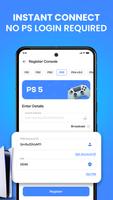
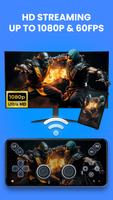
PS Remote turns your Android phone or tablet into a wireless PS4/PS5 controller and streaming client, letting you play and control console games without a physical DualShock or DualSense. The app lets you switch between screen mode to stream gameplay directly to your device and gamepad mode to use the phone as a remote controller for your TV. PS Remote is useful for anyone who wants flexible play from another room, quick local multiplayer without extra hardware, or custom button layouts and themes to tailor controls to their preferences.
Key Features
PS Remote provides a full on-screen virtual game controller with buttons, joysticks and triggers modeled on the DualShock and DualSense layout. Dual modes let you choose gamepad mode to control a TV or screen mode to stream and play directly on your Android device. The app supports streaming with low-latency performance and up to 1080p at 60 FPS when network and console support allow. You can remap controls, save multiple profiles for different games, and import or export settings to back up layouts or restore them on another device. Skins, themes and light/dark interface options let you personalize the look, and pairing is available via auto-detect or manual PIN without requiring a console account login.
Advantages
The app offers quick setup and pairing for fast connections to your console, extensive customization through remapping and saveable profiles, and responsive on-screen controls optimized for smooth gameplay when local network conditions permit. PS Remote aims to mirror familiar controller layouts while providing flexible play options.
Disadvantages
Requires the official console Remote Play feature to be enabled, as the app does not stream games independently. Performance depends on console firmware, your device capability and local network quality, so a 5 GHz Wi‑Fi network is recommended for best results. This is an independent third-party application and is not affiliated with or endorsed by the console manufacturer.
Development Team
The app is developed by an independent third-party developer focused on tools that extend official remote play functionality. The team emphasizes privacy-friendly local pairing and ongoing improvements to settings, mapping and interface customization for PS Remote users.