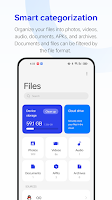
My Files is a fast, secure file manager for Android that helps you browse, organize and protect content on your device. It combines a clean, user-friendly interface with powerful tools for searching, moving, compressing and sharing files offline, plus a built-in document viewer and a private media vault for photos, videos and music. People who need desktop-style file handling on a phone will appreciate batch operations, archive support (ZIP/RAR), AES-encrypted archives and a storage analyzer to free up space and keep sensitive items locked.
Key Features
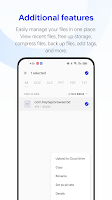
⭐ Fast global search, multi-select, cut/copy/paste, rename and batch delete to manage files quickly.
⭐ Built-in document and media viewer that opens PDFs, DOCX, XLSX, PPTX, TXT and common image/audio/video formats.
⭐ Compress and decompress archives, create encrypted ZIP files with AES protection for secure sharing.
⭐ App lock and private media vault to lock images, videos, music and archives with PIN protection and hide files.
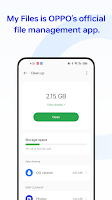
⭐ Storage analyzer and large-file finder to identify what’s using space on internal storage, SD card or USB drives.
⭐ Manage downloads, bookmarks and recently opened files with thumbnail previews and hidden file support; My Files recognizes many popular formats.
Advantages
✅ Comprehensive format support lets you open documents, spreadsheets, presentations, archives and common media without extra apps.
✅ Strong security tools including file encryption, password-protected archives and an integrated app lock for private content.
✅ Useful storage tools and visual analysis make it easy to reclaim space and locate large or duplicate files.
✅ Desktop-like file operations—move, copy, compress, extract and print—improve productivity when managing on-device files with My Files.
Disadvantages
❎ The app requires Manage External Storage permission to access and manage files, which some users may be cautious about.
❎ With a wide set of features and settings, casual users may face a learning curve before using advanced tools effectively.