Introducing Screenshot touch, a versatile mobile application that revolutionizes the way you capture and share screenshots and screen recordings on your Android device. With features like capturing by touch, recording video casts, web page scroll capture, image editing tools, and customizable capture options, Screenshot touch offers a user-friendly and efficient experience. The app also includes dynamic features like multiple saving folders and a persistent notification option for quick accessibility. With privacy and user consent in mind, Screenshot touch ensures that your images and videos remain private. Download Screenshot touch now to elevate your screenshot game!
Features of Screenshot touch
> Capture by touch
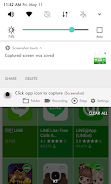
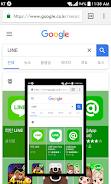
Screenshot touch allows you to capture screenshots by simply touching the screen. You can also use the notification area, overlay icon, or shake the device to take a screenshot effortlessly.
> Record video cast
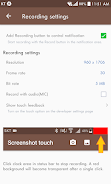
Record video cast of your screen to mp4 with customizable options such as resolution, frame rate, bit rate, and audio settings.
> Web page whole scroll capture
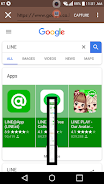
Easily capture the whole scroll of a web page using the in-app web browser. You can choose between two different scroll capture methods for convenience.
> Image editing tools
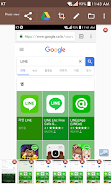
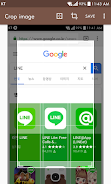
Edit your screenshots with various tools like image cropper, drawing options (pen, text, shapes), and opacity adjustments to enhance your captured images.
Playing Tips Screenshot touch
> Personalize your capture options
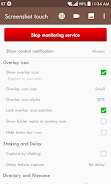
Make use of the capture settings to choose the save directory, file format, jpeg quality, and capture delay. Customize these options to suit your preferences and needs.
> Utilize multiple saving folders
Organize your screenshots by creating subfolders for better categorization. This feature helps keep your screenshots in order and makes it easier to find specific captures.
> Enable persistent notification
Enable the persistent notification option for quick and easy access to Screenshot touch. This ensures that the notification always remains visible for convenient screenshot capturing.
Conclusion
Screenshot touch is a versatile and user-friendly app that provides a range of features for capturing and editing screenshots on your Android device. With customizable options, convenient tools, and easy-to-use functions, it is a must-have tool for anyone who frequently takes screenshots. Download Screenshot touch now and enhance your screenshot capturing experience.