Navigation Bar for Android

3.2.2
DOWNLOAD APK
4/5 Votes: 44
Updated
Jul 22, 2025
Size
7.52M
Category
Tools
Version
3.2.2
Requirements
Android
Package ID
nu.nav.bar
Developer
Wormhole Space
Report this app

DESCRIPTION

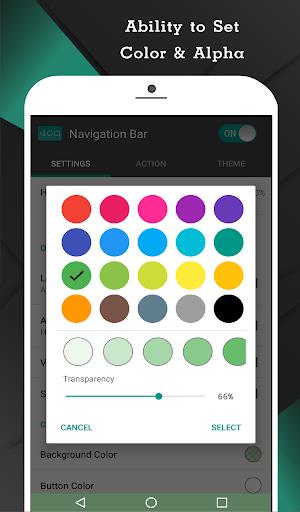
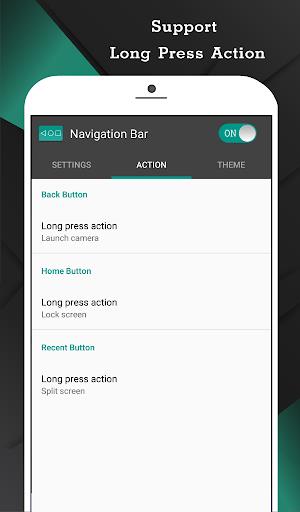
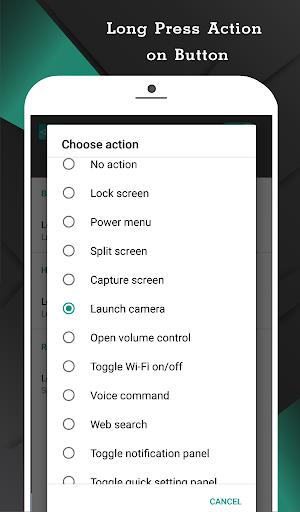
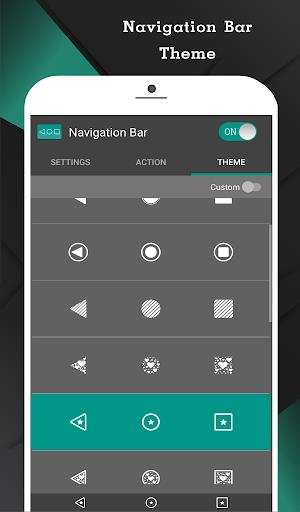
Introducing "Navigation Bar for Android", a versatile application that replaces a malfunctioning or broken navigation bar on your Android device. With the ability to customize the navigation bar with various colors and functions, this app offers features such as auto-hide, swipe gestures, and customizable button positions. Users can easily access actions like home, back, recent, and more with a simple press or long press. With 15 themes available, as well as the option to switch on/off via notification, this app provides a seamless navigation experience. Unlock the Pro version for additional features like launching any application or taking a screenshot. Download now and optimize your navigation experience!

Features of Navigation Bar for Android:

* Customizable navigation bar with multiple color themes.

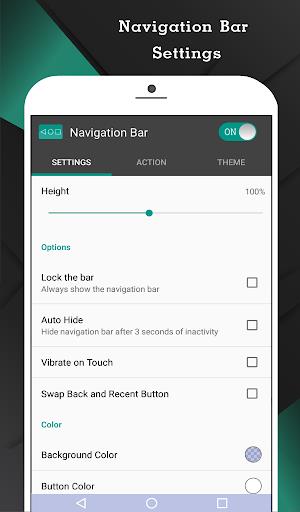
* Auto-hide feature with adjustable duration.

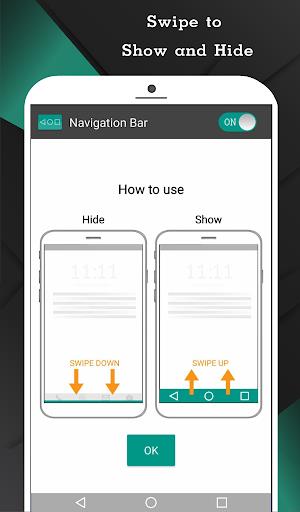
* Swipe up and down for easy access.

* Single and long press actions for home, back, and recent buttons.

* Ability to adjust size, sensitivity, and position of the navigation bar.

* Pro version offers additional features like quick settings toggle and app launch shortcuts.

Playing Tips:

* Customize your navigation bar with your favorite color theme to personalize your device.

* Adjust the sensitivity and size of the navigation bar for smooth and efficient usage.

* Use the single and long press actions for quick navigation and multitasking.

* Unlock the pro version for advanced features like quick settings toggle and app launch shortcuts.

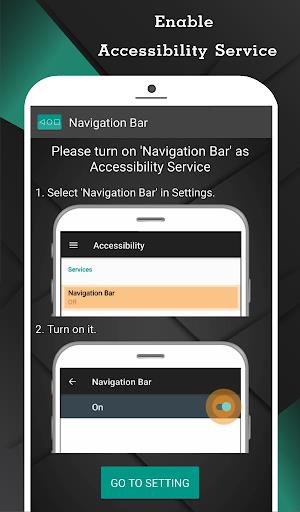
* Enable accessibility service for full functionality and smooth performance.

Conclusion:

"Navigation Bar for Android" is a versatile and user-friendly app that enhances navigation efficiency on your Android device. With customizable features and convenient swipe gestures, it offers a seamless experience for users of all levels. Unlock the pro version for additional functionalities and enjoy a personalized navigation experience on your device. Download now to elevate your navigation experience!
IMAGES

Comment

  • This app lets me replace the ugly looking navigation bar that comes stock with Galaxy phones. It works really well. Just make sure to have the layout be the same as what is already on your phone when you replace the buttons. Otherwise the app will lose permissions every now and then.
    Jul 26, 2025 07:04:17
  • Tooo good appp!! It was soo helpful my phone's navigation buttons are not working because some touch problem and this app full solved this just one problem is that whenever i do the device slant it byi mistakly gets touch and i am out of the app so ill suggest that to just do a feature or something so that when i want it it should come up only at that time. Otherwise the app is too good for these serious problem ill recommend it!
    Jul 25, 2025 19:29:01
  • There is so much more room to add more buttons that will further expand actions feature.. why miss out on that. The whole thing should have been like a taskbar in pcs. 'Smart Dock' gets the idea but misses the customization aspect of 'where I'd want the three buttons, lets say on the right side
    Jul 25, 2025 18:31:09
  • This is a very good navigation bar I've used it a lot of times before and I think it's a very good bar if you don't have regular nav buttons on your Android device/emulator
    Jul 25, 2025 13:14:10
  • stops working in various random ways or service stops and need to restart phone says malfunctioning service in accessibility settings right now, mostly the square only works on home screen even when working - lowers brightness of buttons for movie apps and lets you keep a thin bar for gesture nav problem apps but if your nav app cant be relied upon its worse to have than not
    Jul 25, 2025 05:52:33
  • I hate the new Samsung UI update. This is almost perfect replacement for the old nav system. I paid the $2 for pro, no ads, more options. I chose the slim line buttons and made the bar thin enough to fit below my phone etc icons. It still covers the keyboard tho. with the "hide while using keyboard" selected, it doesn't hide it, but it pushes the keyboard up. all the keys are visible, it just cut off the voice mic button at the bottom and whatever that other but is, I can't see it.
    Jul 24, 2025 20:13:38