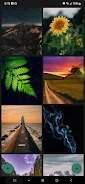
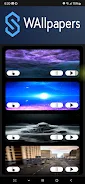
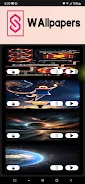
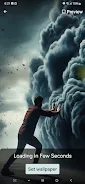
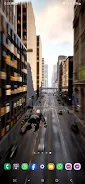
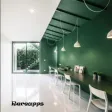
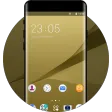
Wallpapers for Samsung helps you personalize your Samsung phone or tablet with a large, carefully curated selection of high-resolution stills and live video wallpapers that suit modern AMOLED and LCD displays. Wallpapers for Samsung puts visually striking backgrounds within easy reach: you can preview an image, see a short live wallpaper loop, and apply it in one tap without navigating complex menus. The app emphasizes clean visuals—abstract art, minimal gradients, cityscapes and nature scenes—while optimizing each asset so it looks crisp on Samsung screen sizes and aspect ratios.
What you’ll find inside
The library is organized into themed collections and categories that make browsing simple. Each item includes a full-screen preview and an information panel that notes the image resolution and suggested display modes. Live video wallpapers play a short loop in preview so you can judge motion and clarity before applying; still images include options to crop or scale to match your home and lock screen layouts. Navigation is designed to be straightforward: tap to open, swipe to move between previews and use a single apply button to set the wallpaper for home screen, lock screen or both.
Controls and personalization
Controls are intentionally simple and tactile. Tap a thumbnail to preview, pinch to zoom and drag to reposition a still image, and choose fit or crop to preserve important visual elements. For live wallpapers the preview plays automatically; you can pause motion previews or choose a static frame to save battery. A favorites mechanism lets you save preferred wallpapers into a personal collection, and sections like “New,” “Trending,” and curated seasonal packs help you discover fresh looks without scrolling through unrelated results.
Visual style and optimization
Wallpapers for Samsung focuses on visuals that take advantage of Samsung displays: deep blacks, vibrant colors and fine detail. Images and video loops are provided at resolutions and aspect ratios that match modern Samsung phones and tablets to minimize stretching or pixelation. The editorial curation pays attention to contrast and readability so icons and widgets remain visible on the home screen. Where suitable, the app offers both still and motion variants of the same artwork so you can pick the quieter option when you prefer lower battery use.
Performance, battery and offline behavior
Because live video wallpapers can use additional processing and battery, the app clearly labels animated items and indicates estimated resource impact. Users with older or lower-end Samsung models may notice reduced smoothness with complex animations; in those cases a static version or a lower-motion alternative is recommended. The app keeps recently downloaded wallpapers cached so they remain available for re-use offline, and image optimization helps keep file sizes reasonable while preserving visual fidelity on high-resolution panels.
Progression, replay value and content updates
Instead of a game-style progression, personalization progresses as your collection grows: bookmarking, creating a small set of favorites, and rotating themes across weeks gives a tangible sense of change. Regularly updated editorial collections and seasonal drops extend replay value by offering new artwork and video loops on an ongoing basis. Curated packs group similar looks to make it quicker to change an overall device theme—switching from muted, work-friendly backgrounds to a vibrant aesthetic for nights and weekends is a few taps away.
User experience and accessibility
The interface favors large thumbnails, clear labels and a minimal number of steps between browsing and applying a wallpaper, which benefits users who prefer simple workflows or need assistive layouts. Preview screens include readable metadata such as resolution and estimated battery impact for animated wallpapers, helping users make informed choices. The app supports both portrait and landscape previews and adapts the preview canvas to mirror how a wallpaper will appear on the actual home or lock screen.
Compatibility and device support
Wallpapers for Samsung is designed with a range of Samsung smartphones and tablets in mind; its curated selections and resolution-aware assets aim to minimize manual adjustment. While most current devices will display content smoothly, lower-powered or much older models can experience reduced animation fluency with certain live backgrounds—users in those cases can select static images or lower-motion options to preserve battery life and responsiveness.
Getting started tips
Begin by browsing the New and Featured collections to see what’s currently trending, save a handful of favorites to your personal collection, and try a live wallpaper preview to check motion and clarity. Use the crop and fit controls to align focal points with your icons and widgets, and revisit curated packs when you want a coordinated refresh. Wallpapers for Samsung makes personalization fast and repeatable so you can change the look of your device as often as you like without complicated setup.