POS System: Sales & Inventory is a full-featured Android point-of-sale application designed to centralize sales, inventory and billing on a single device; the app name appears in this introduction to make it easy to find and understand what it delivers. Small retailers, pharmacies, market traders and casual restaurants will recognize the core needs this app addresses: fast checkouts, accurate stock counts, simple staff workflows and dependable offline operation. New users can try the Premium sync and reporting features with a 7-day trial to evaluate cloud backups and multi-terminal coordination before committing.
Overview and typical workflows
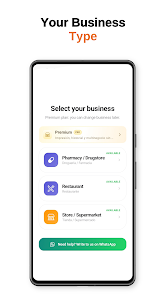
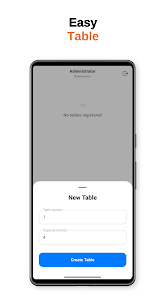
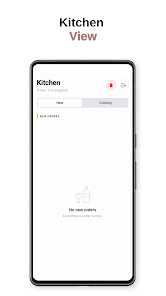
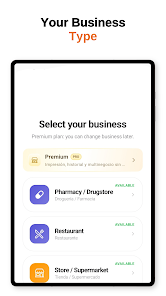
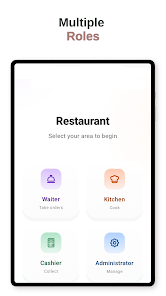
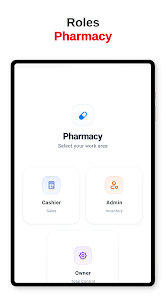
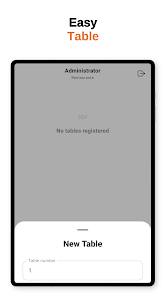
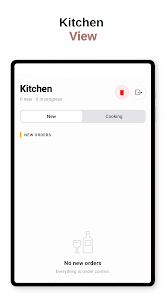
At its core, POS System: Sales & Inventory supports the everyday sequence of retail operations: product selection, pricing, acceptance of payment, receipt generation and inventory adjustment. The interface is optimized for touchscreen devices and barcode scanners so a cashier can ring up items quickly while the system updates stock levels in real time. For restaurants the app adds table management and order handling so waitstaff can send orders to the kitchen and close bills at the table. For pharmacies it supports batch and expiry tracking to help maintain compliance with controlled products.
User interface and controls
The app presents a clean, uncluttered interface with large touch targets and clear prompts to reduce training time for new staff. Checkout controls include quick-access product buttons, an integrated barcode scanner view and simple modifiers for discounts or item quantities. Navigation stays consistent across screens so staff can switch between sales, inventory and reports without confusion. On-screen keyboards, search-by-name or code, and contextual action buttons speed common tasks while minimizing accidental taps.
Inventory management and progression
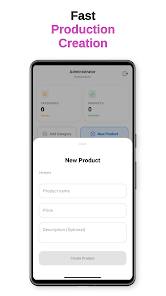
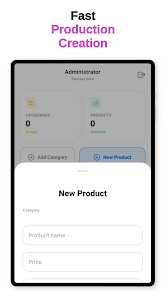
Inventory features focus on scaling from a single shop to multiple terminals: real-time stock counts, low-stock warnings and category management let businesses keep catalogues organized as they grow. The system supports batch tracking for items that require expiry monitoring and provides straightforward adjustment workflows for stocktakes, returns and transfers between locations. As your product list expands, tools for sorting, filtering and editing items in groups help maintain accuracy without excessive manual effort.
Staff roles, permissions and access control
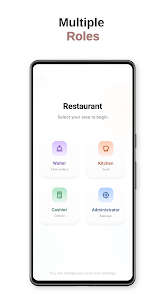
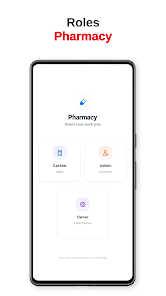
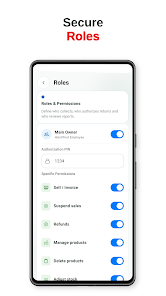
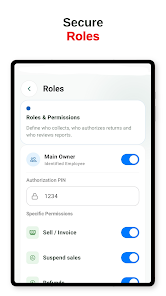
POS System: Sales & Inventory includes role-based access so owners can assign owner, administrator, cashier and waiter roles with appropriate permissions. This progression system gives managers control over who can change prices, process refunds or access sensitive reports. Audit trails and session logs record sales activity for accountability and easier end-of-day reconciliation.
Offline reliability and cloud synchronization
Offline operation is a primary design goal: the checkout stays fully functional without an internet connection and records synchronize automatically when connectivity returns. For businesses that use multiple devices or require automated backups, the Premium cloud sync option enables device synchronization, centralized backups and cross-terminal visibility of sales and inventory. Conflict prompts and timestamped records help resolve synchronization issues that can occur after extended offline use.
Receipts, printing and peripherals
Receipts can be issued digitally and printed via compatible Bluetooth or USB thermal printers. The app supports refunds, invoicing and configurable receipt templates to include necessary business details. Peripheral support focuses on established Android-compatible hardware to ensure dependable connections; specific model compatibility may require vendor-supplied drivers or settings adjustments during setup.
Reports, analytics and scaling
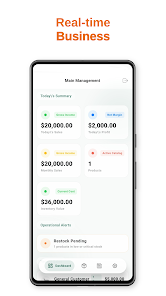
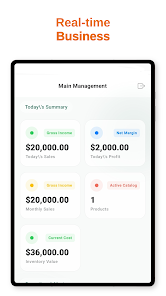
Built-in reporting tools summarize daily sales, product performance and staff activity; Premium reports expand on these with more detailed breakdowns useful for bookkeeping and inventory planning. The reporting progression allows small vendors to start with simple summaries and upgrade to more granular analytics as their business needs grow. Reports are presented in readable tables and can be exported or used for manual bookkeeping processes.
Customization and configuration
The app provides basic customization to align workflows with different business types: adjustable tax rates, payment methods, item categories and table layouts for restaurants. Startup configuration is designed to be straightforward so new stores can begin processing sales quickly, while advanced settings let more experienced operators tailor behavior to their specific procedures.
Accessibility, usability and support
Accessibility considerations include large fonts, clear contrast between interface elements and simple navigation patterns to assist users with limited technical experience. In-app help and contextual tips guide first-time users through common tasks. Premium customers receive priority support to help with multi-device setups, data migration and advanced reporting questions.
Limitations and practical considerations
Certain advanced capabilities, notably cloud synchronization across devices and in-depth analytics, are available through the Premium subscription. Large or complex product catalogues require careful initial setup and may take time to configure optimally. Printer and peripheral compatibility varies by model, so some setup or vendor support may be necessary to achieve a stable connection.
Who should consider this app
POS System: Sales & Inventory is well suited to independent shop owners, small restaurant operators and pharmacists who need a single, mobile terminal that can handle sales and inventory without expensive hardware. Its combination of offline reliability, role-based access and scalable inventory features makes it a practical choice for businesses that expect to grow or operate in intermittent connectivity environments.