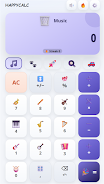
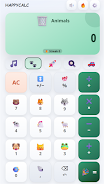
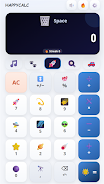
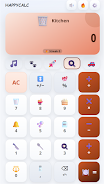
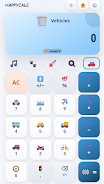
HappyCalc is a lightweight calculator app that turns routine arithmetic into a more engaging, personalized experience by combining precise, fast calculations with sound, motion and colorful themes. Whether you need to tally expenses, check totals while shopping, or finish quick schoolwork, HappyCalc keeps the interface simple and reliable while adding optional audio and visual feedback so each tap feels satisfying and clear.
Key features
The app provides responsive audio feedback for every button press so you immediately know when input is registered, along with smooth animations that help follow the flow of multi-step calculations. A clean layout and large, easy-to-read buttons make number entry fast and reduce input errors. Multiple themes are available to change the visual tone of the interface, and additional themes can be unlocked temporarily by watching short ads; a single premium upgrade removes ads and unlocks all available themes permanently.
How it works
HappyCalc uses a straightforward, tap-first control scheme: tap numbers and operators to build expressions, use a clear key to remove recent input, and press equals to see the result instantly. The app evaluates standard arithmetic operations with no delay, and animations visually confirm transitions between input and result screens. Because the design prioritizes speed and predictability, there are no hidden gestures required to perform core functions—this keeps the learning curve minimal and the everyday workflow efficient.
Customization and progression
Personalization centers on theme selection and temporary unlocks. As you use the app you can explore a palette of color schemes and select themes that match your taste or work environment. If you prefer to sample special themes, the app lets you unlock them for a period by watching an ad; these trial unlocks are convenient for short-term variety. For users who want permanent access and an ad-free interface, the one-time upgrade grants both benefits and simplifies ongoing customization without interruptions. This progression model keeps the base experience free while offering clear, optional steps to expand the look and feel.
Visual style and user experience
The visual approach emphasizes contrast, legible typography and smooth motion to make arithmetic clear at a glance. Themes range from muted palettes for distraction-free use to bright, playful color sets intended to make routine calculations feel a bit more pleasant. Animations are short and purposeful so they add clarity rather than delay; transitions indicate when numbers have been accepted, when an operation changes, and when results are produced. The app aims for a tactile, enjoyable feel while remaining practical for repeated, high-frequency use.
Accessibility and offline use
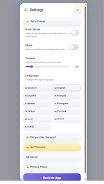
HappyCalc is designed to work offline for everyday arithmetic: all core calculation functions and most personalization options are available without a network connection. Accessibility considerations include scalable text and clear button spacing to assist users who need larger targets or higher legibility. Because sound and animated feedback are optional, users who prefer a quieter or more minimal setup can mute audio and reduce motion in the settings while retaining full calculation accuracy.
Performance, privacy and reliability
The app prioritizes low memory use and quick startup so it does not slow down older devices. Calculations execute locally, so results do not rely on cloud services and basic use does not transmit personal data. Ads used to unlock temporary themes are handled in a way that does not interfere with core functions; purchasing the premium upgrade removes these ads and guarantees uninterrupted use and permanent access to extra themes.
Advantages
HappyCalc makes everyday math more pleasant by combining dependable calculation with optional audio and visual enhancements, and the ability to personalize appearance keeps the interface from feeling stale. The upgrade path is straightforward: stay ad-supported for a fully functional free app, or purchase the premium option to remove ads and unlock the theme collection permanently. The design aims to be both engaging and unobtrusive so you can rely on it for quick tasks throughout the day.
Disadvantages
Some users who prefer a strictly minimal calculator may find the sounds and animations unnecessary and should disable them in settings. Certain themes unlocked via ads are time-limited unless you choose the premium upgrade, so if you want permanent access to every visual style you will need to purchase the one-time option. Overall, the app balances customization and performance while keeping core arithmetic fast and reliable.