Alarde is a focused social platform for writers and readers designed to help creative work move from idea to polished piece. Alarde places a calm, distraction-reduced environment at the center of its experience, combining a community of engaged readers with tools that nudge writers toward finished drafts and meaningful feedback. The first encounter in the app emphasizes clarity: a clean editor, a visual prompt gallery to spark ideas, and profile pages that make it easy for others to discover and follow your writing. Whether you keep private drafts, publish short scenes, or develop longer projects, Alarde aims to be the everyday workspace where authors experiment, revise, and present their work.
Key features and interaction mechanics
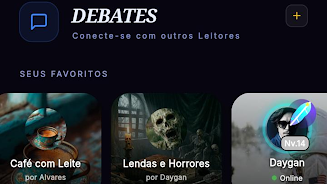
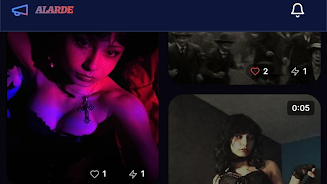
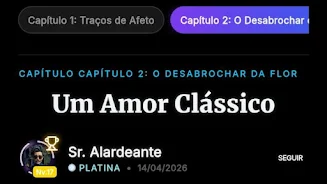
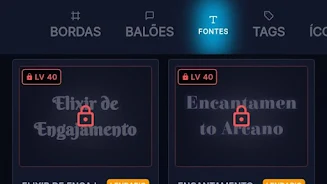
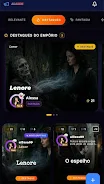
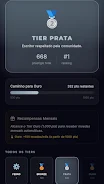
The app bundles community interaction, creative prompts, and progression features into a single workflow. Conversations are organized around posts and comments rather than noisy timelines, so feedback stays relevant and constructive. The integrated art gallery supplies visual cues that function as writing prompts; images can be tagged, saved, and pinned into a personal inspirations board. The career-oriented progression elevates active contributors over time, helping consistent writers appear in discovery feeds and curated lists. Profile customization lets each author present a compact portfolio that includes highlighted pieces, a short biography, and stylistic settings for how texts are displayed to readers.
Writing workflow, controls and editor tools
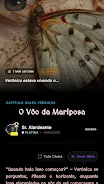
The editor in Alarde focuses on essentials: quick formatting controls, inline word counts, version history for recent edits, and an autosave system that preserves drafts while you work. Basic controls are reachable from the keyboard and toolbar so you can format headings, italics, and lists without breaking flow. Visual prompts can be opened alongside the editor for side-by-side inspiration, and a distraction-free mode hides UI chrome for concentrated drafting. Export options let you copy text, save it as plain text, or prepare a clean export for external editing tools.
Progression, challenges and replay value
The app’s progression model rewards regular practice rather than competitive ranking: streaks, milestone markers, and gradual visibility boosts help motivated users broaden their readership. Alarde hosts timed writing challenges and prompt cycles that refresh regularly; participating in these exercises builds a visible portfolio of short works and encourages revision practice. Replay value comes from rotating prompt themes, community-driven prompts, and the option to revisit older pieces with new edits, so the creative cycle remains engaging even after initial publication.
Customization, visual style and level structure
Customization extends from public profile layouts to reading preferences. Choose light or dark themes, font sizes, and spacing options to tailor how your work appears to others and to yourself while writing. The app organizes published content into levels of visibility — private drafts, followers-only posts, and public pieces — so creators can stage releases and control audience exposure. Visual style is intentionally minimalist to place emphasis on text and on the gallery images used as creative triggers, not on flashy UI elements.
User experience, accessibility and offline use
Alarde aims for an accessible experience across devices: clear typography, high-contrast theme options, scalable interface elements, and compatibility with common screen readers. Onboarding includes a short guided tour that introduces editing controls, profile setup, and how to join challenges. For users who prefer to work offline, drafts persist locally and sync when connectivity is restored, allowing uninterrupted writing sessions while commuting or traveling. Notifications are configurable so you receive only the responses and updates you care about.
Community, discovery and limitations
The community is built for focused exchanges between writers and readers; discovery tools surface recommendations based on activity, followed creators, and participation in prompt cycles. Alarde encourages constructive critique and peer support rather than social-metric competition. As a specialized platform, Alarde may feel limited to people who want a general-purpose social network; it also does not replace full-featured publishing suites, so authors seeking advanced layout or professional typesetting might use Alarde for drafting and community feedback before exporting to other tools.
How Alarde fits into creative routines
For writers who want a less distracting place to write, a ready audience to test ideas, and a steady set of challenges to build drafts, Alarde functions as both studio and workshop. The blend of visual triggers, simple editing controls, progression markers, and community feedback supports sustained creative habits while keeping the interface approachable. If you prefer to focus on crafting sentences, experimenting with short forms, or developing a portfolio of work displayed via a personalized profile, Alarde offers a compact, thoughtfully designed space to do that work.