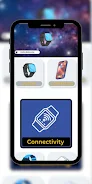
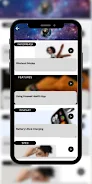
Huawei Watch 5 App Guide is an independent, practical handbook created to help new owners and curious users get the most from their watch hardware and the companion apps. The Huawei Watch 5 App Guide opens with concise, step-by-step setup instructions and moves quickly into everyday use topics so you can pair the device, choose a readable watch face, and understand key sensors without wading through long manuals or unpredictable forum posts. Designed as a compact reference, the guide mixes clear explanations with annotated screenshots and short how-to sequences so you can look up a task while the watch is in hand.
What this guide covers
This guide organizes the watch experience into focused chapters that reflect typical tasks: unboxing and first-time pairing, navigation of home screens and tiles, notification management, and configuring health and fitness tracking. Each chapter explains terminology, options, and likely outcomes so you understand not just what to tap but why a setting behaves a certain way. Practical examples show where settings live in the menus, what to expect after a system update, and which options affect battery life or privacy.
Controls and interaction mechanics
Hands-on controls are explained in plain language: how touch gestures differ from a long-press, when to rotate the crown versus swiping, and how the crown acts for scrolling, selection and returning to a previous view. The guide also documents physical button combos, how shortcuts are bound to long-press or double-press actions, and ways to control media and calls directly from the wrist. Special attention is given to behavior in low-power and airplane modes so you know which gestures or buttons remain responsive.
Learning progression and tutorial structure
Content is arranged for gradual learning: initial setup and daily navigation appear first, followed by sections that expand into health tracking, customization and advanced settings. Short, numbered how-to sequences help you complete tasks quickly, while cross-references let experienced users jump to topics like battery management or privacy controls. The structure supports repeated consultation — you can follow the guide start to finish on first use, or return to individual sections as needs change.
Visual style and annotated references
Visual clarity is a priority. Screenshots are annotated to show which icon does what, diagrams locate sensors and charging points, and sample watch faces are shown with notes on complications, color contrast and information density. These visual clues reduce guesswork when you try to match a screen on the real device, helping you recognize menu items and status indicators faster during setup or troubleshooting.
Customization, settings and personalization
Personalization options are covered in detail so you can tailor the device to your routine: changing watch faces, arranging tiles and shortcuts, setting notification filters, and adjusting haptic feedback and screen wake behavior. The guide explains health-tracking preferences such as heart-rate sampling intervals, sleep monitoring options and activity auto-detection so you can balance data fidelity with battery life. Advice on app permissions and privacy settings helps protect sensitive information while still allowing useful features.
Fitness, challenge systems and progress tracking
The guide explains the watch’s activity tracking tools and how to interpret common metrics like step counts, activity targets, sleep scores and workout summaries. It covers how to reset or adjust goals, read progress indicators over days and weeks, and use metrics to set achievable personal targets. Where applicable, the guide clarifies sensor limitations and recommends practices for more consistent tracking, such as wearing position and regular calibration of exercise profiles.
User experience, accessibility and offline reference
Accessibility and ease of use are emphasized: font scaling, high-contrast display options, voice prompts where available, and gesture adjustments for users with motor differences are all explained with step-by-step enablement instructions. Because many look-ups happen while using the watch, the guide is optimized for quick, offline reference; screenshots and short procedures are designed to be consulted without a continuous internet connection.
Organization, sources and limitations
The Huawei Watch 5 App Guide is presented as an independent educational resource and not an official Huawei publication. It compiles commonly available information, annotated images and user-facing explanations drawn from observed behavior on recent system builds. The guide recommends when to consult official vendor support for warranty, repairs or software issues, and notes that system updates may change some behaviors and menu locations over time.
Practical tips and continued value
Beyond tutorials, the guide includes practical tips for longer battery life, safe charging habits, selecting watch face styles that balance readability and battery use, and small maintenance tasks to keep sensors accurate. Treated as a living reference, the Huawei Watch 5 App Guide is meant to remain useful as you discover features and adjust routines, delivering steadily greater convenience and fewer surprises as you become familiar with the device.