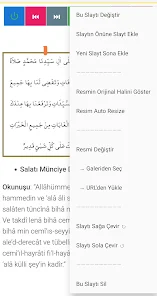
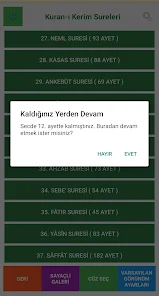
Zikremads-Galeri Dua Sayaç Pro is a focused counting and content-management app that helps you track repeated readings or viewings against a target number, whether you want to read a passage 100 times or complete a set of recitations. The app combines a gallery-style interface with a configurable counter so users can add text, images or videos and follow a structured session that advances automatically when a count finishes. If you value repeatable, organized practice with quick visual controls and simple customization, Zikremads-Galeri Dua Sayaç Pro streamlines the process and keeps your workflow uninterrupted.
Key Features
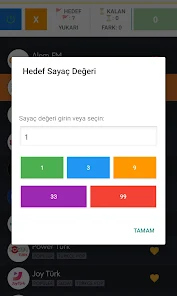
⭐ Target-based reading and watching tracker for following a set number of repetitions (for example, reading a text 100 times).
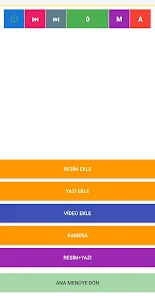
⭐ Gallery model for adding and organizing content: text entries, images from your gallery or screenshots, and videos.
⭐ Automatic slide advance when a counter completes to provide continuous, orderly practice using Zikremads-Galeri Dua Sayaç Pro.
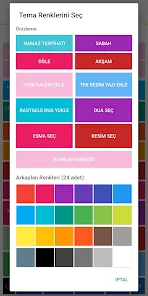
⭐ Theme button for quickly changing button colors and adjusting the app’s look on the fly.
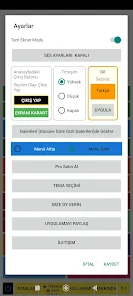
⭐ Settings menu to control full-screen mode, sound, and theme/color customization.
⭐ Built-in content options such as Esma’ül Hüsna lists and a Qur’an menu to structure reading or recitation flows.
Advantages
✅ Makes repetitive reading or viewing goals easy to monitor with clear, target-based counters.
✅ Flexible content support lets you combine text, images and video for varied practice sessions.
✅ Customizable appearance and quick theme switching help you tailor the interface to your preference.
✅ Automatic slide progression keeps sessions organized and reduces manual interaction, improving focus while using Zikremads-Galeri Dua Sayaç Pro.
Disadvantages
❎ Requires initial setup to add or organize your own content before you can use it effectively.
❎ Designed for individual tracking; it is not intended for collaborative or synchronized multi-device sessions.
❎ Users unfamiliar with gallery-style workflows may need a short learning period to arrange slides and counters efficiently.