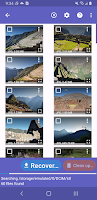
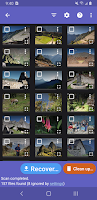
Retrieve your precious memories and important files effortlessly with DiskDigger! This powerful app allows you to recover lost photos, images, and videos from your device's memory or SD card, ensuring you never have to say goodbye to your favorite moments. With the ability to upload recovered files to Google Drive, Dropbox, or email them to yourself, you can have peace of mind knowing your data is safe. The VIP treatment of DiskDigger Pro expands your recovery options, while the convenient "Clean up" feature eliminates unnecessary items. Never fear losing data again with DiskDigger by your side!
Features of DiskDigger:
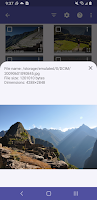
Effortlessly recover lost photos, images, and videos from your phone's memory or SD card.
Upload your recovered files directly to Google Drive, Dropbox, or email them to yourself.
Restore your precious files with just a tap of a button.
Keep it clean with the "Clean up" feature that zaps away items you no longer need.
Safeguard your privacy by wiping free space on your device.
FAQs:
Why do some photos recovered with DiskDigger appear lower-quality or pixelated?
What is a "rooted" device?
How do I know if my device is rooted?
My device is rooted, but DiskDigger still can't get superuser privileges.
My device's storage fills up to 100% while using DiskDigger!
Why does DiskDigger show me photos that I don't recognize / don't remember saving?
Conclusion:
With its easy-to-use interface and powerful capabilities, DiskDigger is the ultimate solution for recovering lost photos, images, and videos. Whether you accidentally deleted files or lost them due to a technical mishap, DiskDigger has got your back. With the ability to upload recovered files directly to cloud storage or email, as well as features to clean up unnecessary items and safeguard your privacy, DiskDigger is a must-have app for any device. Say goodbye to lost files and hello to peace of mind with DiskDigger!