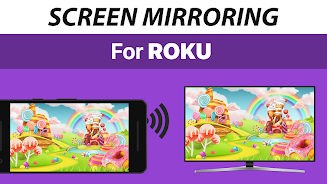
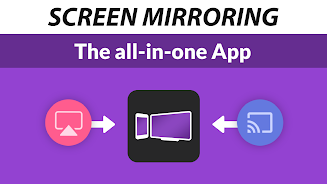
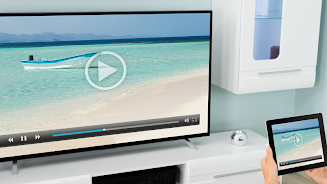
Easily share your screen with friends, family, and colleagues with the Screen Mirroring App for Roku. This user-friendly app allows you to mirror photos, videos, games, websites, and more on any Roku device in HD quality. With support for all Android devices and Roku models, setting up screen mirroring has never been easier. Keep your Android and Roku connected to the same wifi network for seamless performance. While sound is not yet supported, you can connect your Android device to a Bluetooth speaker as a workaround. Experience the convenience of screen mirroring with this top-rated app brought to you by the developers of the #1 video casting app in the world.
Features of Screen Mirroring for Roku:
- Versatile Screen Mirroring: The Screen Mirroring for Roku app allows you to share your screen on any Roku Stick, Box, or TV, including popular brands like TCL and Hisense. Whether you want to mirror photos, videos, websites, games, or presentations, this app has got you covered.
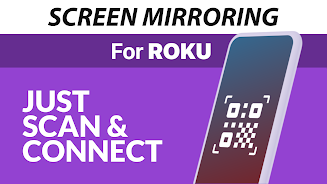
- Easy Setup: With a super easy and unified setup process on all Android devices, you can start mirroring your screen to Roku in no time. No need to fiddle with complicated settings or Wi-Fi options - just connect your devices to the same network and you're good to go.
- Wide Device Support: This app supports all Android devices with Android -0+ and all Roku devices, ensuring compatibility across a wide range of smartphones and streaming devices. Whether you have a Roku Stick, Box, TV, or Roku Express, you can easily mirror your screen with this app.
- HD Quality: Enjoy high-definition screen mirroring with the Screen Mirroring for Roku app. Share your content with friends, family, or colleagues in stunning clarity and detail, making every viewing experience more immersive and enjoyable.
Playing Tips
- Good Wifi Network: To ensure the best performance while using the app, make sure that both your Android device and your Roku are connected to a stable and strong wifi network. Avoid using VPN, Proxy, VLANS, or Subnets, as these may interfere with the screen mirroring process.
- Sound Workaround: While sound is not yet supported by the app, you can connect your Android device to a Bluetooth speaker for audio playback. Alternatively, you can try using the VIDEO & TV CAST app to cast videos with sound to your Roku device.
Conclusion
In conclusion, the Screen Mirroring for Roku app is a versatile and user-friendly tool that allows you to mirror your screen to any Roku device with ease. With its wide device support, easy setup process, and HD quality output, this app offers a seamless screen mirroring experience for all Android users. Whether you want to share photos, videos, games, or presentations, this app has everything you need to make screen mirroring a breeze. Download the Screen Mirroring for Roku app today and start sharing your content in style.