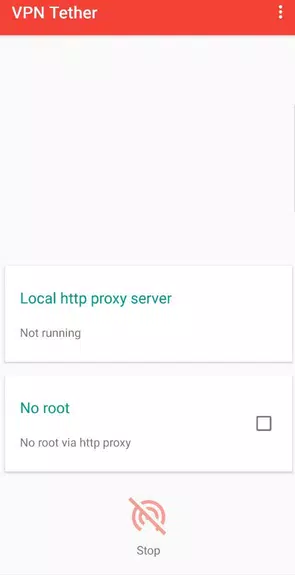
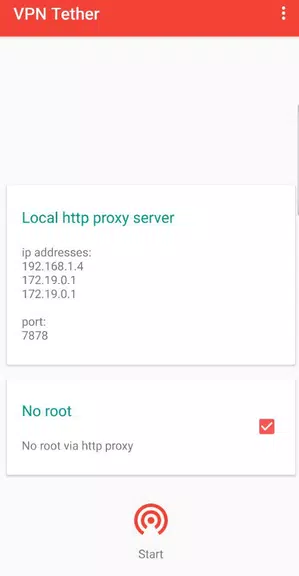
Introducing VPN Tether (share VPN connecti, the app that enables you to share your VPN connection seamlessly through a hotspot. This user-friendly tool allows you to use either iptables or an http proxy to distribute your VPN connection, ensuring all connected devices stay protected. With a simple setup process, VPN Tether grants you uninterrupted internet access and safeguards your online privacy. Although the app defaults to using iptables, please note that setting up iptables requires root access. For Android 9 users, an additional step of changing the default gateway to the hotspot's IP address is necessary. Don't let a lack of internet connection deter you – VPN Tether offers a solution by manually configuring client devices with static IP addresses, gateways, and DNS settings. Experience hassle-free VPN sharing with VPN Tether today!
Features of VPN Tether (share VPN connecti:
> Easy and Convenient Connection Sharing:
VPN Tether allows users to effortlessly share their VPN connections with other devices through a hotspot. This eliminates the hassle of manually configuring each client device and enhances the overall user experience.
> Increased Security and Privacy:
By sharing a VPN connection with all connected devices, VPN Tether ensures that all data transmitted through the hotspot is encrypted and secure. This protects users' sensitive information from potential threats and greatly enhances their privacy.
> Efficient Network Management:
With VPN Tether, users can easily manage and control the devices connected to their hotspot. This allows for better network optimization, ensuring a smooth and uninterrupted browsing experience for all users.
> Cost-effective Solution:
Rather than subscribing to multiple VPN accounts for each device, users can simply use VPN Tether to share their existing VPN connection. This not only saves money but also provides a convenient solution for users wanting to protect multiple devices.
Tips for Users:
> Configure Static IP Addresses:
If the client devices do not receive proper IP information from the VPN tethering device, manually configuring static IP addresses, gateways, and DNS on the client devices can solve the problem. This ensures that the devices can effectively connect to the VPN connection.
> Enable Root Access and Iptables:
To fully utilize the capabilities of VPN Tether, enabling root access and setting up iptables is required. This allows users to modify their default gateway settings and successfully share the VPN connection with other devices on Android >
> Verify Compatibility with Hotspot:
Before using VPN Tether, it is recommended to ensure that the hotspot function on the device is compatible with the app. Certain devices or configurations may not be fully supported, which can result in connectivity issues.
Conclusion:
VPN Tether (share VPN connecti offers a convenient and secure solution for sharing VPN connections through a hotspot. With its easy-to-use interface and efficient network management features, users can easily extend the benefits of their VPN service to multiple devices. By eliminating the need for manual configuration and providing robust encryption, VPN Tether maximizes both convenience and security. Whether for personal or professional use, this app is a cost-effective and practical tool for users looking to enhance their online privacy and protect their data. Download VPN Tether now to experience seamless and secure VPN connection sharing.