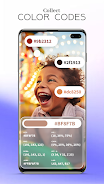
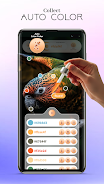
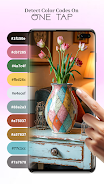
Color Picker & Palette Maker helps designers, artists, and developers sample colors from images, the camera, or the screen and build organized palettes with exact hex, RGB, and HSL values.
Key features
- In Color Picker & Palette Maker use a precise eyedropper to pick colors from photos, screenshots, or live camera input.
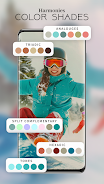
- Adjust color values with sliders, enter exact codes, preview tints and shades, and check basic contrast ratios for accessibility.
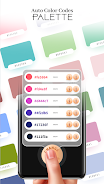
- Color Picker & Palette Maker lets you create, name, reorder and group palettes; export as PNG, ASE, or GPL, copy hex codes and CSS variables, and share palettes with other apps.
- Access a sampling history, save favorites, and organize palettes for different projects.
How to use
- Open an image or grant camera permission to sample colors in real time.
- Tap any pixel to capture its color, refine values with sliders or numeric input, and add the result to a palette.
- Manage saved palettes, export formats you need, or copy color codes to paste into design tools and code editors.