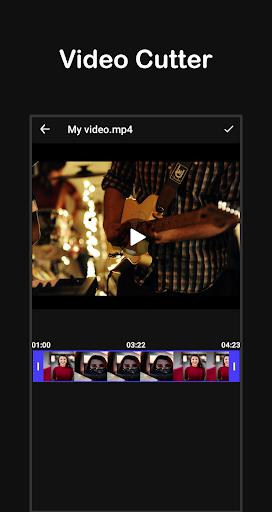
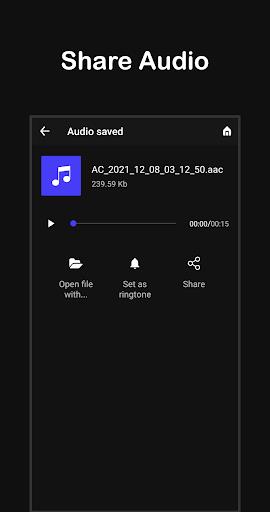
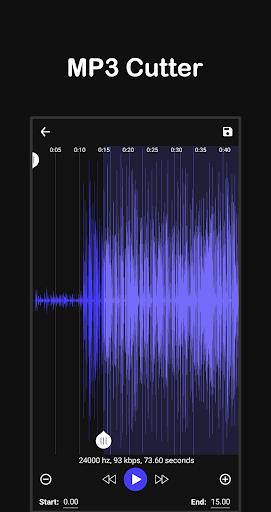
Video To Mp3 Converter is a lightweight utility that extracts high-quality audio from video files and also offers simple editing tools for clips and ringtones. Use Video To Mp3 Converter to convert MP4, MKV, AVI and other video formats to MP3 or common audio formats, trim video segments with the video cutter, or create ringtone-ready clips with the MP3 cutter. Converted files save directly to your device and sharing is straightforward, so you can set ringtones or send results to friends without extra steps.
Key Features
Fast video-to-audio conversion with selectable bitrates (128, 192, 256 and 320 kb/s) to balance quality and file size.
Support for a wide range of input formats including MP4, FLV, MKV, AVI and 3GP so most videos are compatible.
Multiple output formats such as MP3, AAC, M4A, FLAC and WAV to match different playback needs and devices.
Built-in video cutter and MP3 cutter let you trim clips, save memorable moments or extract favorite song parts for ringtones.
Save converted audio directly to your phone, set it as a ringtone, and share files through standard Android sharing options.
Advantages
Fast processing and a straightforward interface designed for quick access to conversion, trimming and ringtone functions. Video To Mp3 Converter bundles converter, cutter and ringtone setter in one free, easy-to-use tool.
Support for multiple popular formats reduces the need for additional apps to change audio or video types.
Disadvantages
Focuses on basic conversion and trimming; advanced audio-editing features and multitrack mixing are not included.
The app does not provide cloud sync, ID3 tag editing or professional mastering tools, so those functions should not be expected.