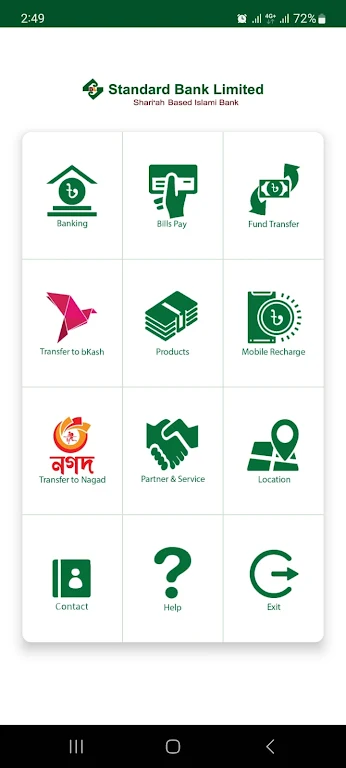
SBL DigiBanking is a convenient and secure app that provides all your banking needs right at your fingertips. With two operation modules, you can easily access information about SBL products and services, locate ATMs and branches, and even apply for banking products. The app also offers exciting EMI and discount offers on SBL credit cards, making your shopping experience even better. In addition, the banking module allows you to check your account balances, view transactions, and make fund transfers to SBL and other bank accounts. With strict security measures such as unique user IDs and one-time passwords, you can rest assured that your information is safe. Available on both Android and iOS devices, SBL DigiBanking is the ultimate banking solution for anyone on the go.
Features of SBL DigiBanking:
* Information Module: This module provides users with access to various information about SBL DigiBanking. Users can find details about SBL ATMs, branches, cash deposit machines, and agent locations. They can also learn about different banking products and apply for them. Additionally, users can find information about EMI and discount offers on SBL Credit Cards. The module also includes contact details for branches, the head office, and the SBL hotline.
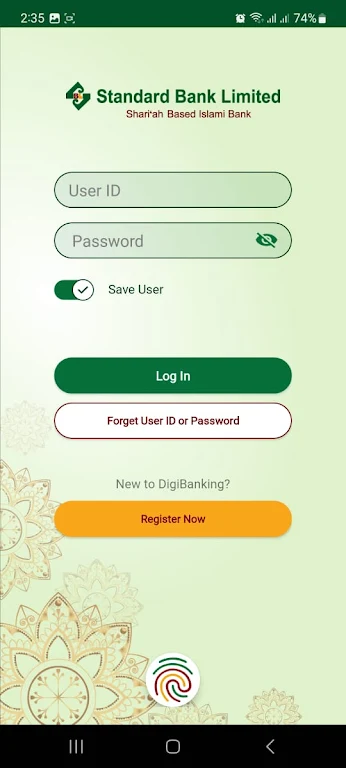
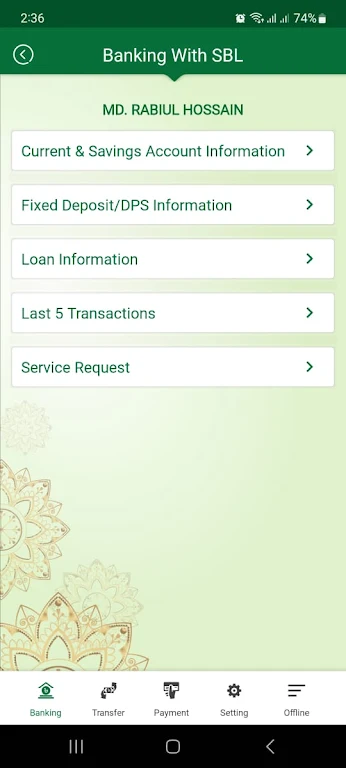
* Banking Module: The banking module requires users to visit a branch to collect a unique User ID and Password for SBL DigiBanking. Enhanced security measures, such as one-time passwords during transactions and the requirement of the customer's known device's IMEI number for login, ensure the safety of users' accounts. This module allows users to access several features, including viewing details of their savings and current accounts, outstanding amounts on fixed deposit receipts (FDRs) and DPS, and loan accounts. Users can also view their last five transactions, submit service requests like positive pay instructions and account statements, and make fund transfers to their own account, other SBL accounts, and other bank accounts. Additionally, users can pay WASA bills, credit card bills, and recharge mobile accounts for various service providers.
Playing Tips:
* Explore the Information Module: Take advantage of the Information Module to learn about all the services and products offered by SBL DigiBanking. This module provides you with important details such as ATM and branch locations, contact information, and attractive offers on credit cards. Stay up to date with the latest information and make informed decisions about your banking needs.
* Secure Your Account: Follow the recommended security guidelines provided by SBL DigiBanking. Collect your unique User ID and Password from the nearest branch and keep them confidential. Enable two-factor authentication for enhanced security. Also, make sure to add beneficiary accounts carefully and only conduct transactions from your known device for added protection.
* Utilize the Banking Module Features: Make the most of the features available in the Banking Module. Keep track of your account balances, outstanding loan amounts, and recent transactions. Submit service requests for instructions like positive pay and account statements. Use the fund transfer options to conveniently move money between your accounts or to other SBL accounts and other banks. You can also pay bills and recharge your mobile account seamlessly through the app.
Conclusion:
SBL DigiBanking offers a comprehensive solution for general users and SBL Account Holders. With its Information Module, users can access a wide range of information about banking products, services, locations, and contact details. The Banking Module provides secure and convenient access to various banking features, including fund transfers, bill payments, and service request submissions. The app ensures strong security measures, such as one-time passwords and device restrictions, to protect users' accounts. Compatible with both Android and iOS devices, SBL DigiBanking offers a user-friendly and trustworthy banking experience. Download the app today to enjoy seamless digital banking at your fingertips.