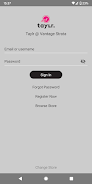
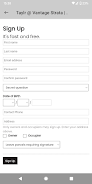
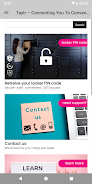
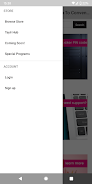
taylr. is a resident-focused building services app designed to bring amenities, products and on-site teams into a single, easy-to-navigate place. taylr. presents building-specific listings so occupants and staff can quickly discover what’s available, who to contact, and how to request services without searching multiple noticeboards or external directories. The goal is practical: reduce time spent hunting for information and make everyday building operations smoother for both residents and management.
Key features and how they work
The app centers on curated, building-level listings that include amenities, vendors, services and support contacts. Each listing contains clear contact options (tap-to-call, email, or an in-app contact form), operating hours, and brief descriptions so users immediately know whether a service meets their need. Staff profiles and team pages let occupants identify the right person for maintenance, concierge requests, or facilities coordination. Search and filter tools help residents find items by category, floor, or availability, and a simple favorites/bookmark system keeps frequently used services one tap away.
Navigation, controls and interaction model
taylr. uses direct touch controls familiar to Android users: tap to open listings, swipe to move between sections, and long-press to save or share a contact. The main navigation groups content by category (for example, amenities, services, retail) and by building zone, so users can narrow results quickly. Onboarding introduces the layout with short, optional tooltips and gives users control over notifications. Interactive elements are labeled for accessibility and sized for comfortable one-handed operation in most devices.
Progression, content updates and personalization
Rather than a game-like progression, taylr. guides users through increasing usefulness as building teams add and maintain content. New users are encouraged to set preferences and mark locations or services they use often; over time the home view surfaces relevant suggestions and recently updated listings. Building staff can update availability and special offers so the in-app content stays current. Verified listings and timestamps show when each entry was last updated, helping residents trust the information and encouraging repeat engagement.
Visual style, layout and customization
The interface favors a clean, low-contrast visual design with clear iconography and concise copy for rapid scanning. Listings use thumbnail images or icons, short headers, and key details in bold to improve legibility. Users can choose a compact or expanded view depending on how much detail they want to see at a glance, and text size is adjustable within the app to support different visual needs. Localized labels and simple color choices keep the experience consistent across devices and properties.
Level structure, building hierarchy and discoverability
Information in taylr. is organized to mirror physical building structure: campus > building > floor/zone > service. This hierarchy helps occupants drill down to the exact vendor or amenity on their floor and makes it easy for property teams to manage content at the appropriate level. Indoor maps or simple floor references (when provided by management) are surfaced alongside listings to assist orientation, while search supports both broad and granular queries so residents can discover nearby conveniences without extra steps.
Replay value, routine use and challenge systems
taylr. earns routine use by becoming the default place for building-related needs: reporting a maintenance issue, ordering a service from an on-site provider, or checking whether a facility is available. Challenge systems in the traditional sense are not part of the app, but timely updates, rotating promotions from on-site vendors, and periodic surveys encourage users to return and interact. Saved favorites, recent history, and quick-request shortcuts increase efficiency for repeat tasks.
Accessibility, offline access and privacy
Accessibility is addressed through readable fonts, clear labels for screen readers, and adjustable text sizes; the app follows common Android accessibility conventions to work with TalkBack. For basic reliability, recently viewed and favorited listings are cached for offline viewing so residents can access critical contact details even when connectivity is intermittent. Personal data handling is kept minimal: communication preferences and contact messages are controlled by the user, and building administrators manage public listing content. Clear privacy settings and permission prompts explain how data is used.
Practical benefits and typical use cases
In daily life taylr. reduces friction around finding services inside a building: new residents use it to learn what’s available, visitors find on-site retail and amenities quickly, and staff receive more accurate service requests. Property managers benefit from a centralized way to publish information and streamline routine coordination. By focusing on building-specific content and straightforward interactions, taylr. becomes a practical tool that supports occupancy, improves communication, and helps everyone make better use of the facilities they share.